Automated lead generation - killer hacks you should be using in 2022

Are you looking for some inspiration to get your LinkedIn outreach working harder for you? Then read on as we share some hacks that you can use with STACKED by Dux-Soup.
What is STACKED and how does it work?
STACKED is a LinkedIn outreach tool, powered by Dux-Soup. Launched in September 2026, it offers the Dux-Soup power that's been 10 years in the making, with a modern experience that makes creating campaigns and viewing results quick and easy, the ability to run your LinkedIn automation from your AI platform, individually personalized messages, tailored to every prospect, and advanced safety settings - making it a great all-rounder.
It can be used with the free version of LinkedIn, as well as Sales Navigator and Recruiter.
If you aren’t already a user, then you can try STACKED for free, we don’t even ask for credit card details!
Once you’re up and running, simply select the list of prospects you want STACKED to process, followed by the activities you want it to perform.
The benefit of using STACKED is that it not only automates hugely manual tasks and repetitive actions in your lead generation activity, but it allows you to select your desired ‘throttling’ speed, so you can ensure the activities being performed by the robot, mimic your own, human behaviour when visiting prospects. This is a great feature, which guarantees that your profile stays well within the safety parameters and connection limits.
STACKED integrates directly with your tools so you can insert LinkedIn outreach into your existing workflows with ease.
So, what do we mean by killer hacks?
These are the key approaches in use right now by our customers, or recommended by our users via case studies. They also involve popular topics raised via our support team or user groups and they include a mix of LinkedIn tips and tricks and STACKED features and functionality to help drive your outreach programmes.
Key topics include the following:
LinkedIn tips
Your profile
LinkedIn 101 – the most important things to remember with your LinkedIn profile:
1) Check your settings
2) Update your profile
3) Be active
Use a professional photo if you can, don’t just add your title, describe what you do too.
Check your LinkedIn visibility settings and make sure you update them in line with your requirements. If you want to be visible, make sure your settings are updated accordingly so prospects know their profile has been visited.
Engage with people in groups and via posts – this is the best way to let people know you’re active. Engagement - means you’re being seen.
View our LinkedIn profile tips.
Searches
A simple search in the standard version of LinkedIn will produce a potentially long list for you to use. In order for STACKED to work with a list, it needs to be a list of people. So, once you’ve decided which search criteria to use (title/location etc), select ‘People’ from the menu. The Dux icon (in the top right of your screen) will then turn green to confirm it is processing that list.
Remember to use the filters to make sure the list of contacts contains relevant, quality data. With standard (free) LinkedIn, the search will be limited to 100 pages, with 10 contacts per page.
A search In Sales Navigator provides you with an even broader filtering capability, which is hugely powerful in helping you to drive your strategy. The search will be limited to 100 pages, with 25 contacts per page, so again, make sure you use filters to narrow your search to make sure you are getting the full list.
Group searches - if you’re a free LinkedIn user, you need to be a member of a group to be able to see the full list of members. In Sales Navigator, you can carry out a search within a group, but you can also search in groups that you aren’t a member of, which is a great way of finding connections.
Using a group search is a very powerful way of finding contacts with similar interests.
Post likes – in your news feed, take a look at relevant posts and click to view the number of likes. This will open up a list of profiles, which STACKED can now run automated actions against. You can also tailor that list to view only those who ‘loved’ it for example.
You can use STACKED to visit the profiles of page followers, and similarly with company employees. You can also do this with Alumni via any educational facility that has a LinkedIn page. To get the best out of an Alumni search, you can narrow down the time period, where prospects live, where they work, what they do, what they studied etc., so you can filter and find people to produce an actionable list to work with – again another really powerful way of maximising the use of LinkedIn searches and lists.
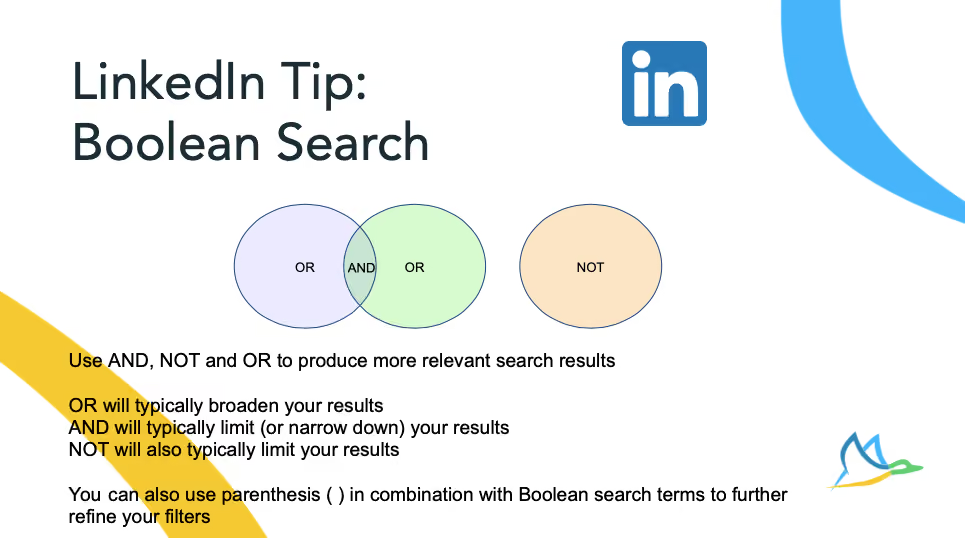
Boolean Search
The Boolean search is a great way to filter and refine your searches to ensure you’re identifying the right people, here’s how ..
STACKED Tips
Tagging contacts
Did you know you can add and remove tags to your own profile, as well as those of your prospects?
When you enroll contacts into a campaign, you can automatically add a tag to help you ‘find’ or ‘classify’ your prospects. It’s a powerful way to label people so you know how you found them, or how you’d like to categorize them for future campaigns. Not only can you then search for certain people or create certain groups based on the tags you’ve given them, this also allows you to run STACKED against the same list in the future or enables you to skip profiles, giving you greater control.
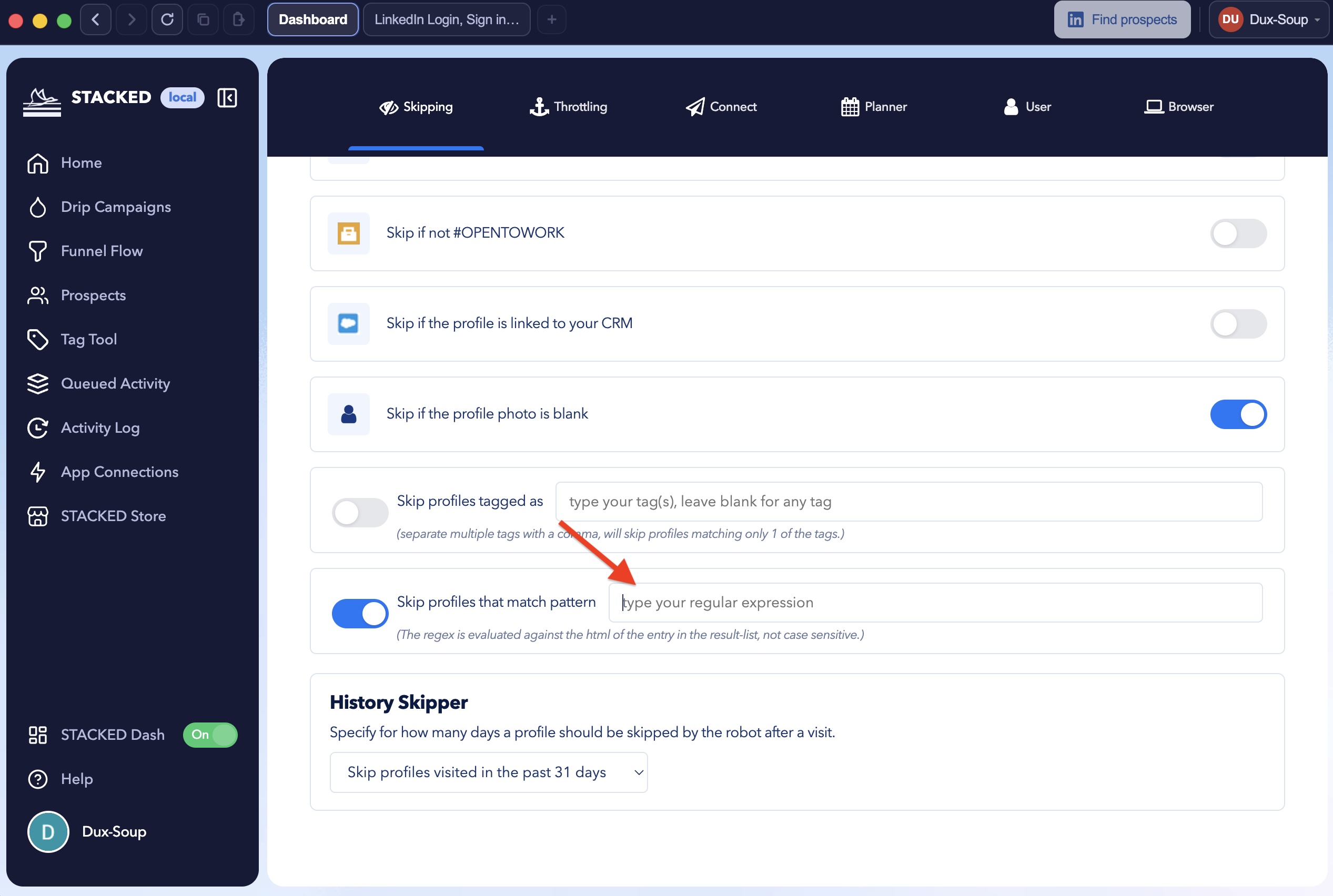
REGEX – This refers to the use of a regular expression in STACKED within the skipping rules, to help you refine your search criteria. It’s a very useful way of filtering out people who appear in your search results who you don’t want to target with your outreach.
Your search results may include people who work for a competitor, or roles which are too senior, or too junior for your campaign. In STACKED, under the ‘Skipping’ options, you can select certain keywords to avoid. This function provides you with a great way of filtering out certain profiles, and offers an extra level of granularity to use when defining your search criteria.
Scanning and Visiting
Did you know there’s a difference?
· Visiting – with STACKED allows you to visit a profile and collect all data for that profile. Whatever automated actions you’ve requested will be carried out regardless of the degree of connection, or whether it’s standard LinkedIn or Sales Navigator.
· Scanning – allows you to gather data quickly to create custom lists. As it provides much ‘quicker’ functionality, it does mean that people don’t get notified of your visit. Obviously this could be a good or a bad thing depending on your strategy.
LinkedIn and STACKED combined tips - overcoming LinkedIn connection limits
LinkedIn introduced weekly invitation limits in 2021, but sending connection requests isn’t the only way to raise your profile. Here are a couple of simple but effective ways you may just have forgotten about!
Visiting Profiles
By simply visiting profiles, provided you have the right visibility settings (as shown earlier), you are raising awareness of your own profile. If you were to visit 500 profiles, a number would return the favour. This is a valid and widely used strategy to overcome the limits imposed. Discover how to get emails from LinkedIn once you have visited your list of profiles.
InMail
With InMail, if you’re a STACKED user, you can automate your InMail messages by creating a simple InMail campaign. Watch our video on the types of campaigns you can create with STACKED.
If you have a paid LinkedIn account, then you are also given a number of credits per month available for sending InMails. You can also send free InMails for people who have Open Profiles, and use this label to define whether to include (tag) or exclude (skip) them from a campaign - so you can maximize your outreach by using your free credits.
Campaigns
You can create as many campaigns as you like in STACKED, and each one can comprise of up to 12 actions. Campaign results are easily created in the STACKED dashboard, which is where you can define and build your campaigns, including your desired message delays and follow-ups.
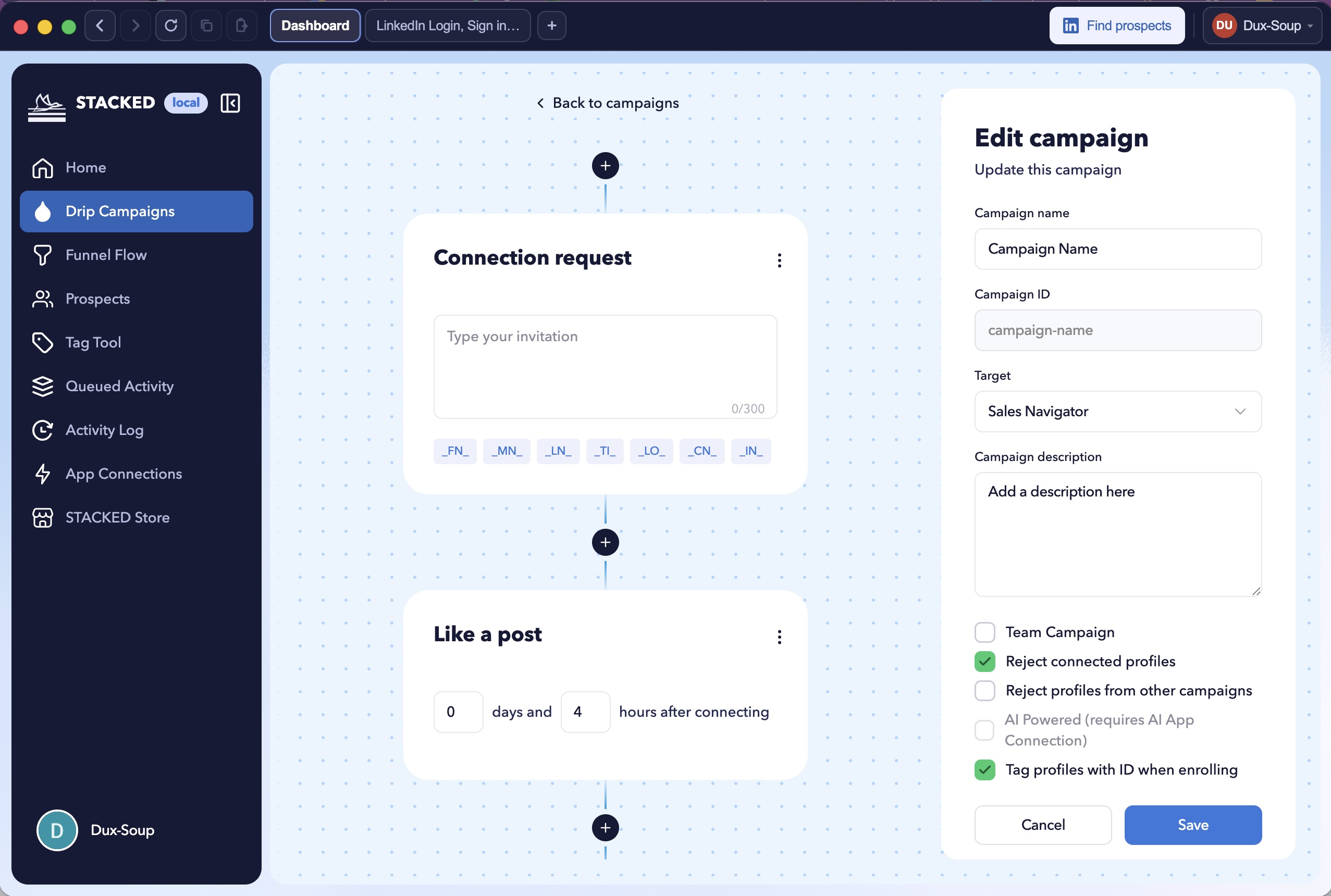
You can track the success of your campaigns in the Funnel Flow section. This provides you with visibility of the profiles within each campaign, showing you those prospects who have been invited, who has accepted, and what stage of the campaign process they are in, including any messages to or from those connections.
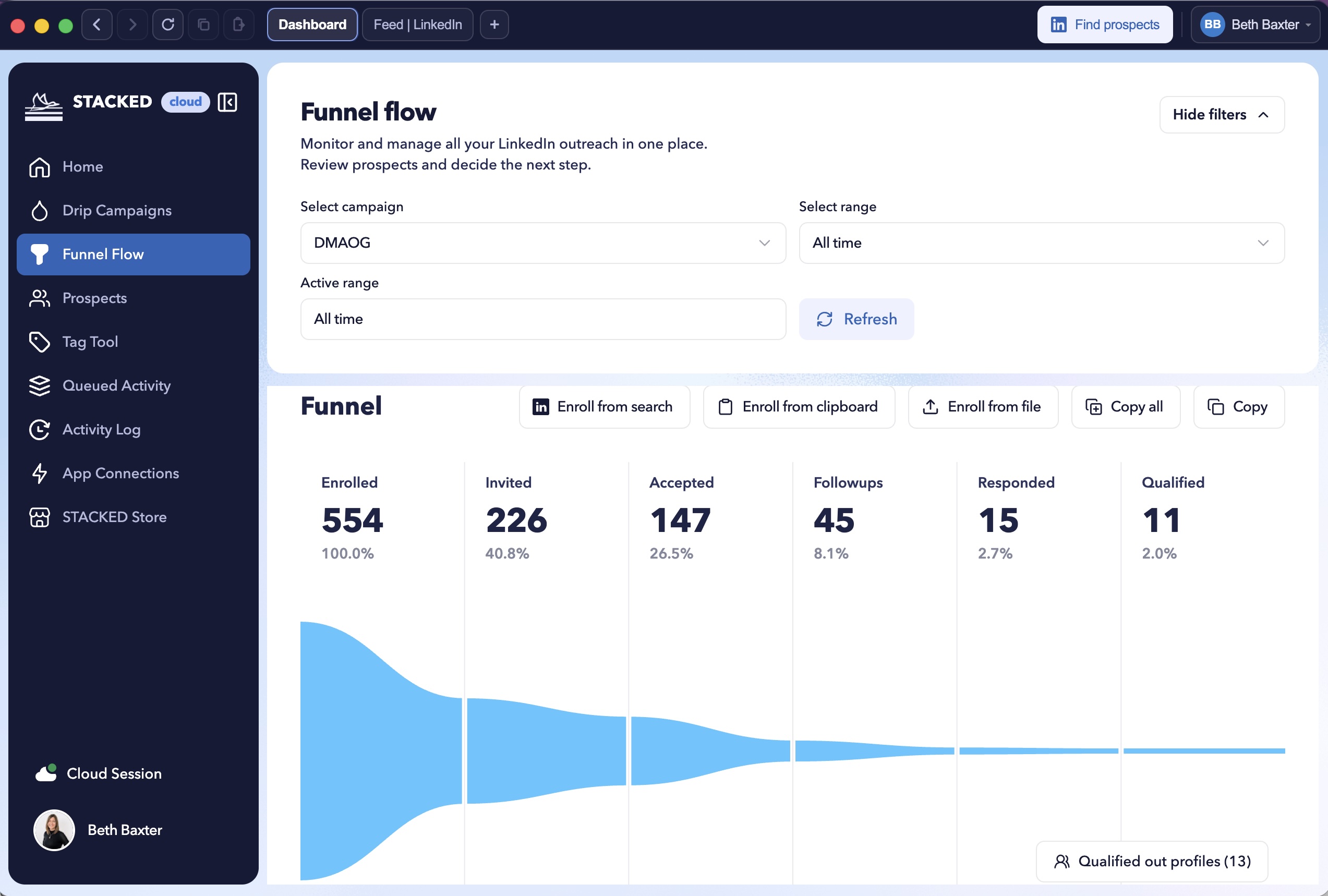
Data from here can also be copied and pasted into a spreadsheet if needed.
AI personalized outreach
The more relevant your messages, the better your response rates. With our AI integrations, you can send an individually personalized message to every prospect. It addresses the challenge of scaling while sounding like every message is han-written. Check out the STACKED AI feature.
Integrations
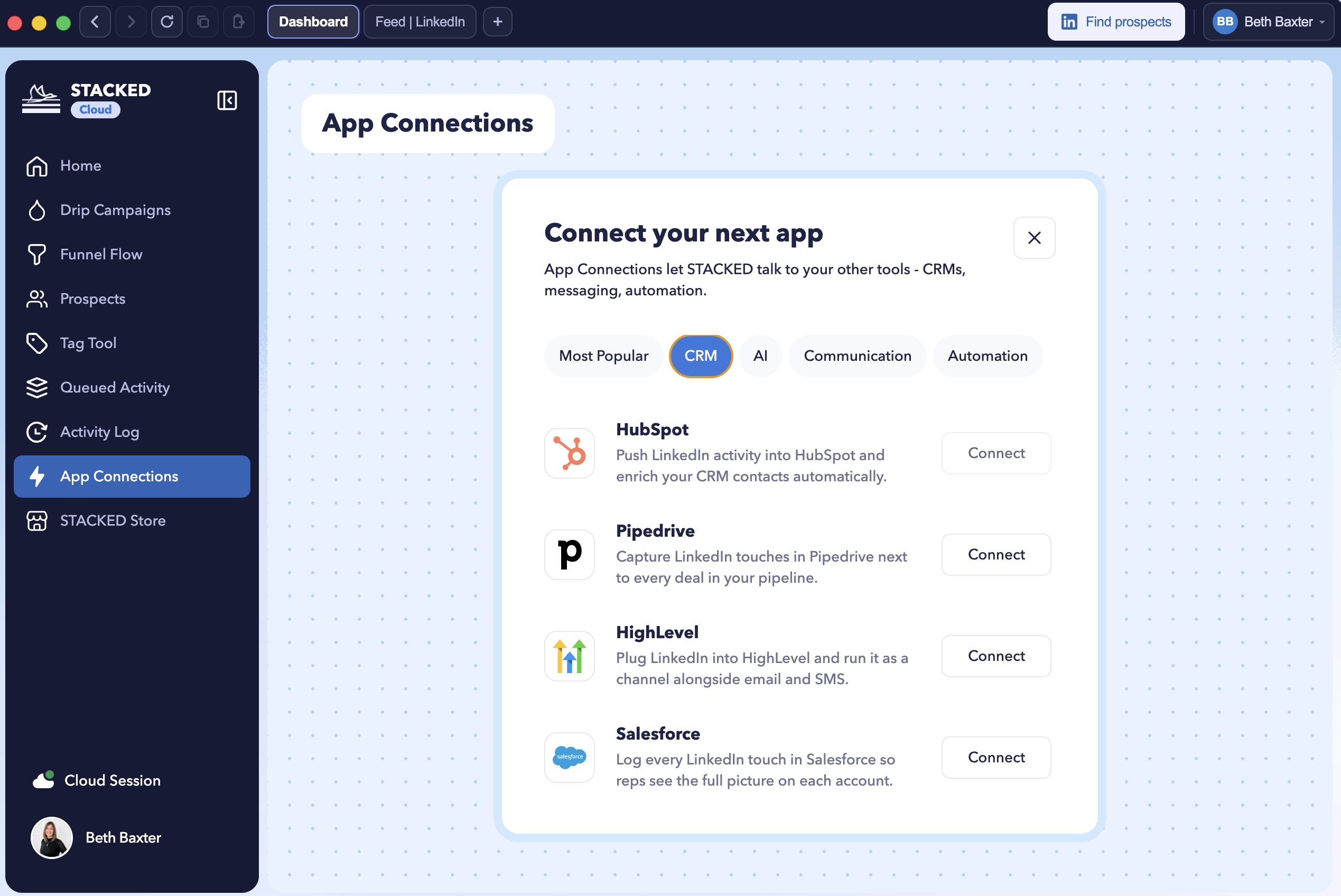
We have direct two-way integrations to hook into your chosen environment – just head to the site for more info. This is an area that’s constantly being updated – with new integrations, and new CRMs appearing all the time. If you don’t currently pull all your data into one place, then this is an aspect really worth checking out, and one that will help create a huge amount of efficiency for your business and your teams.
Outreach at scale
If you’re an agency or organization running multiple LinkedIn Accounts, we make this easy. Team managers can choose to add team members to their account, keeping billing centralized. Agencies can choose a postpaid option, which bills based on the number of accounts managed on a daily basis, so you only pay for what you use and can flex quickly and easily.
So there you have it – killer hacks to get your outreach working harder for you! Why not give some of these fabulous tricks a go, and let us know how you get on!
The bit at the bottom:
- Book a Booster Call to boost your lead generation! For a little extra help, book a 1-hour, one-to-one session that:
- Is tailored for your business and target market
- Helps you manage the technical and workflow process setup
- Enhances your lead generation results from STACKED
- Try STACKED for FREE, for 2 weeks
- Sign up to the LinkedIn Learning Hub to get regular updates on all the newest Dux-Soup resources and latest LinkedIn hacks!
- Support or questions? If you have any further questions, feel free to contact Dux-Soup support team at info@dux-soup.com and we will be happy to help!