STACKED AI - individually personalized LinkedIn outreach, at scale
If you’re running LinkedIn outreach, here's a scenario you've probably lived through.
You spend a few hours crafting the perfect list of prospects. Everyone in your target market, everyone at the right decision-making level, and you know you could add value to each one.
You set up a LinkedIn outreach workflow containing connection invitations, messages, post likes, and other nurturing tricks.
Then you test it on 200 of your prospects. And get four replies, two of which are "No thank you, please stop sending me messages."
In the space of a week, you’ve just burnt through 196 of your best prospects. Two of which have clearly stated they don't want to hear from you again.
Not because your product isn't good. But because the people you're targeting have seen your messages before. They've seen one exactly like it. Same structure, same opener, same vague value proposition from three other people this week, and they ignored those too. You’ve wasted your opportunity to build a relationship.
The problem with LinkedIn outreach is that we're all starting to sound the same. And it's not going down well with our prospects.
The solution isn't to send fewer messages; it's to send better ones. And STACKED AI now allows you to do that, with every message tailored to each individual LinkedIn prospect.
Templated approaches get the ‘ignore’ reflex
Let's put some context around the problem. LinkedIn has become the default channel for B2B prospecting. Our 2026 B2B lead generation report states that over 95% of B2B marketers are using LinkedIn for lead generation. That's good news for reach and bad news for cut-through.
As automation tools have made it easier to contact hundreds of people every week, prospects have developed a finely-tuned radar for templated messages and a near-automatic reflex to ignore them.
Research consistently shows that personalized outreach significantly outperforms generic messaging. Reply rates on tailored messages can run three to five times higher than templated equivalents.
But writing a genuinely personal message for every single prospect simply doesn't scale.
Until now, you had a choice: send personalized messages slowly or send generic messages fast.
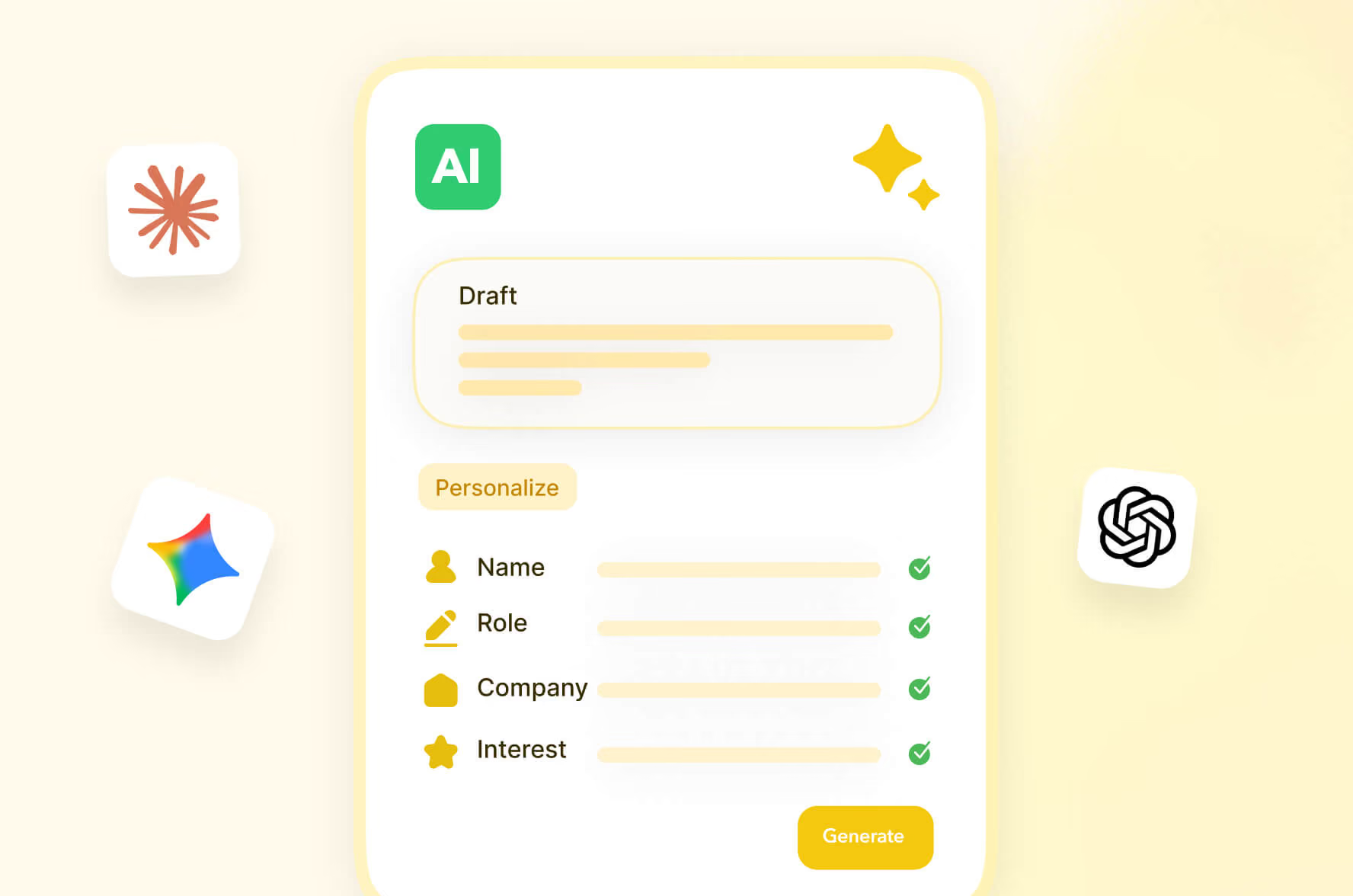
STACKED’s ChatGPT, Claude and Gemini integrations remove that trade-off entirely.
What the STACKED ChatGPT, Claude and Gemini integrations do
At its core, the STACKED integration connects STACKED to your AI platform, so that STACKED can utilize AI in its outreach and for lead response management:
- Every outreach message (connection invitation, message and InMail message) is passed through AI to personalize it based on the target's LinkedIn profile
- AI acts as your response assistant, surfacing your hot leads for faster follow-up, continuing those not yet ready to engage, and qualifying out those that simply aren't a fit
It all means you can send more relevant and engaging messages that actually get replies, and convert your hot leads faster.
Let’s explore how.
Individually personalized outreach
The goal? LinkedIn messages so personalized that you think they've been written just for you.
Here's how: You write a rough message in your STACKED drip campaigns.
STACKED pulls the following data directly from each LinkedIn prospect's profile:
- First name
- Last name
- Job title
- Profile summary
- Company name
- Website
- Industry
- Location
It passes the data to ChatGPT, Claude, or Gemini, which combines your message with the profile data and writes a unique, tailored, genuinely personal message for every single person on your list, which STACKED then sends.
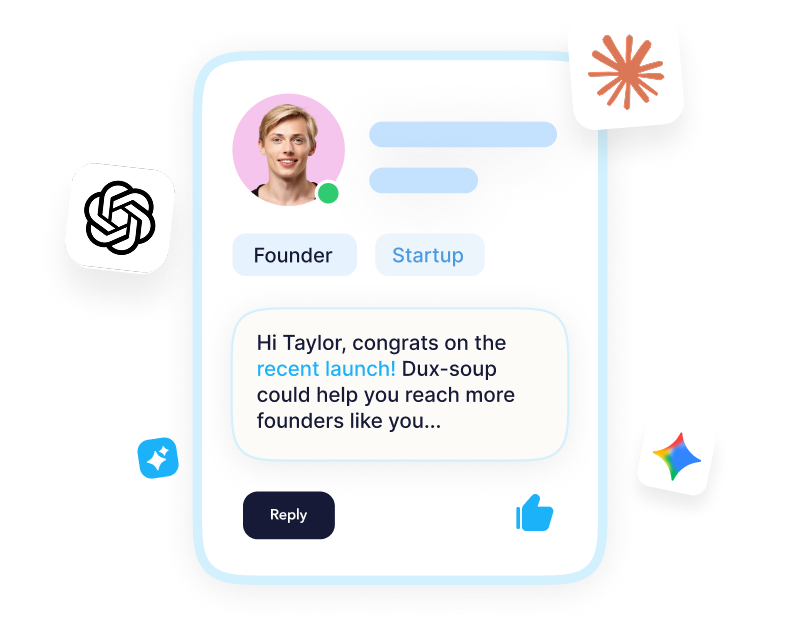
The result? Messages that reference who people are, what they actually do, and why your outreach is relevant to them specifically. It's a lot more engaging. Here's an example:
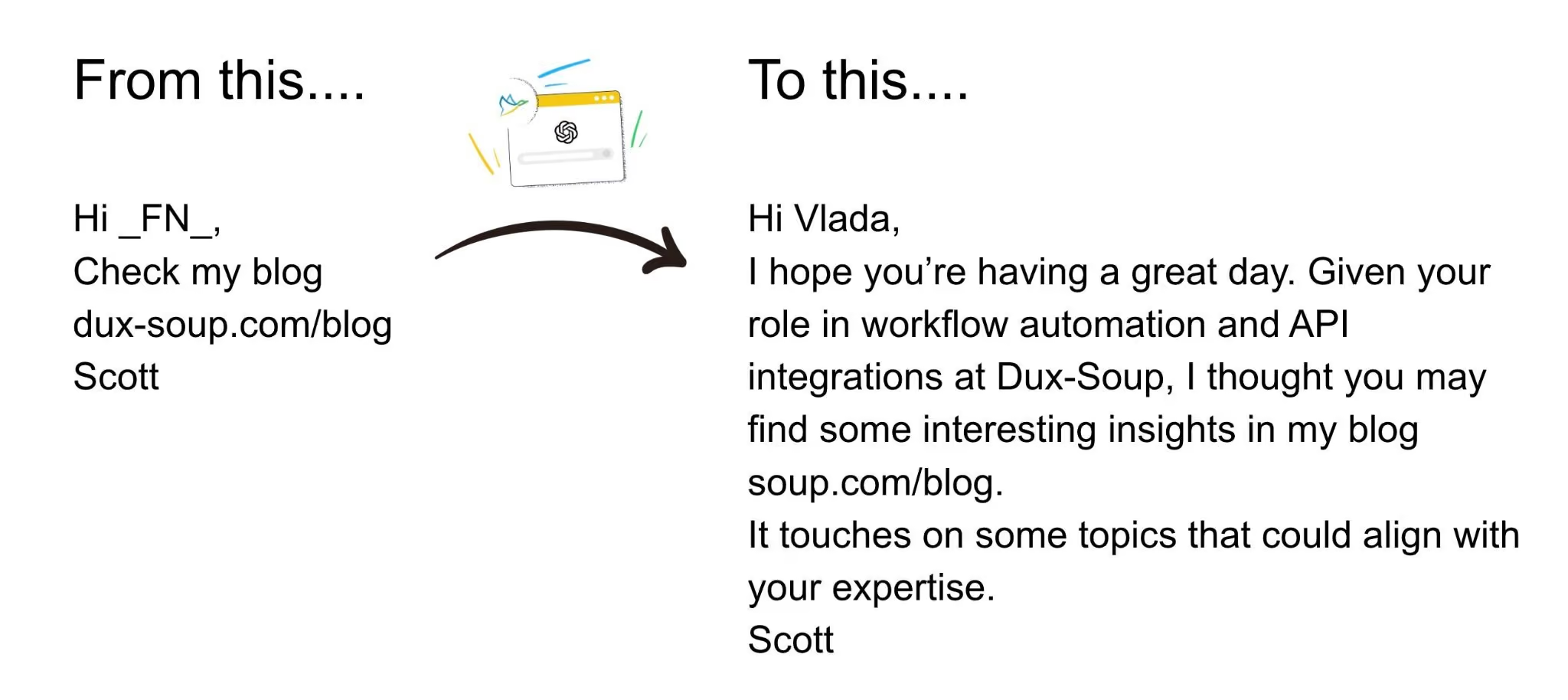
It's already showing to get an uplift in results. Early-stage evidence is a 100% uplift.
Save hours on copywriting, send better messages
We've all been there, spent hours on copy, rewriting it, agonizing over what's going to capture someone's attention. Well, that's over now.
Connect your AI tool in the App Connections section of the STACKED dashboard.
When creating your drip campaigns in STACKED, you can just check the AI-powered box. Drop in your rough copy and the key points you want to hit. ChatGPT, Claude or Gemini will transform it into a clean, professional, high-converting message.
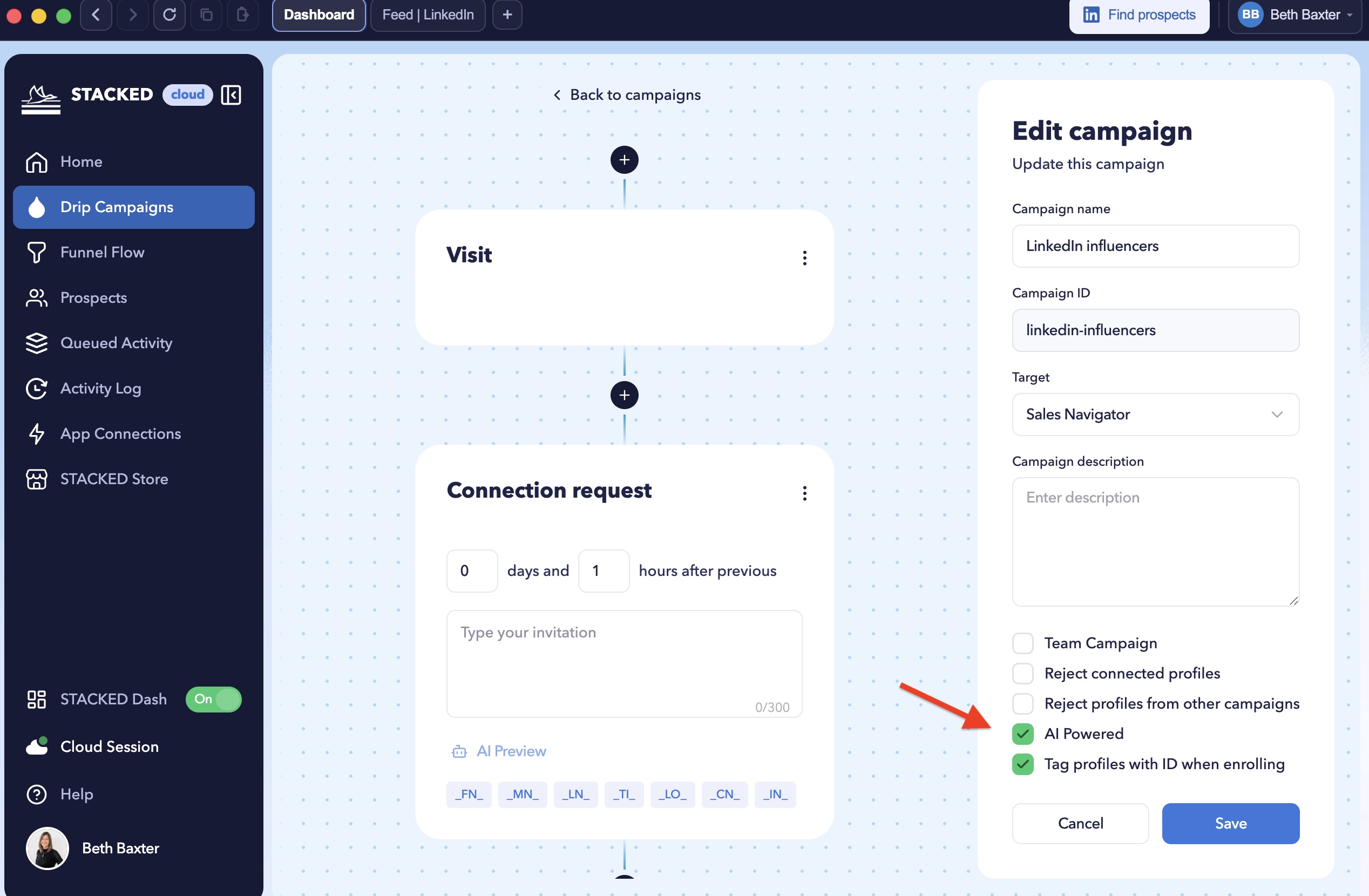
No more stealing someone else's templates. No more uninspiring messages. Hours saved, and an uplift in responses. How refreshing.
Your AI lead management assistant
The problem with running better outreach is that it works, which means more replies, lots of them. It's great until you realize you have 150 leads sitting in your inbox at various stages of interest, intent, and enthusiasm.
This is the part where people's pipeline management quietly falls apart. Sorting through a mountain of replies to find the three people who are actually ready to buy is so time-consuming.
Enter: STACKED's AI response assistant.
STACKED monitors every response that comes into your campaign and uses AI to read the message and categorize it:
Qualify In: Surface high-intent leads as soon as they show buying signals, so you can follow up fast
Qualify Out: Respectfully remove contacts who aren’t a fit, without the awkward follow-ups
Continue: Keep engaged-but-not-ready prospects moving through your campaign, automatically
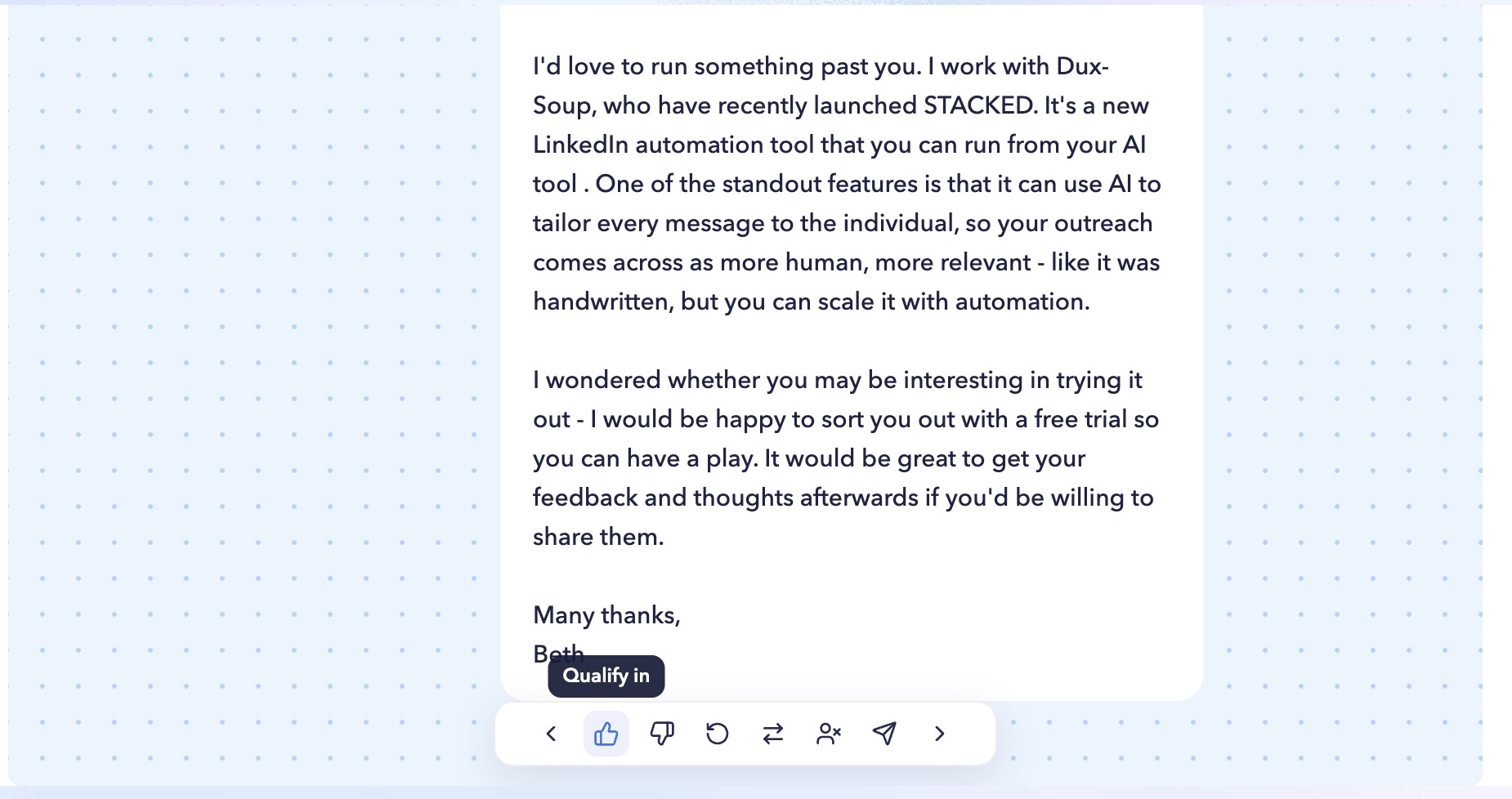
The result? Your hottest leads surface automatically. You spend your time on conversations that actually close, not on manually sorting your inbox.
Work smarter, close faster, leave the inbox archaeology to the robots.
How to get set up in under 5 minutes
Yes, really. Under five minutes.
What you'll need:
- A STACKED local or cloud license (or trial)
- A ChatGPT, Claude or Gemini account with an API key
Follow the steps below. The same method applies for Claude and Gemini.
Step one: Connect ChatGPT/Claude/Gemini to STACKED. Head to your STACKED dashboard, and under App Connections, click New Connection. Select the relevant one, which will give you two fields to fill in:
1. Account ID: Enter anything you like here as an identifier
2. Secret Key: Enter your OpenAI/Claude/Gemini key
Click Save. Your ChatGPT/Claude/Gemini Integration will now appear under App Connections.
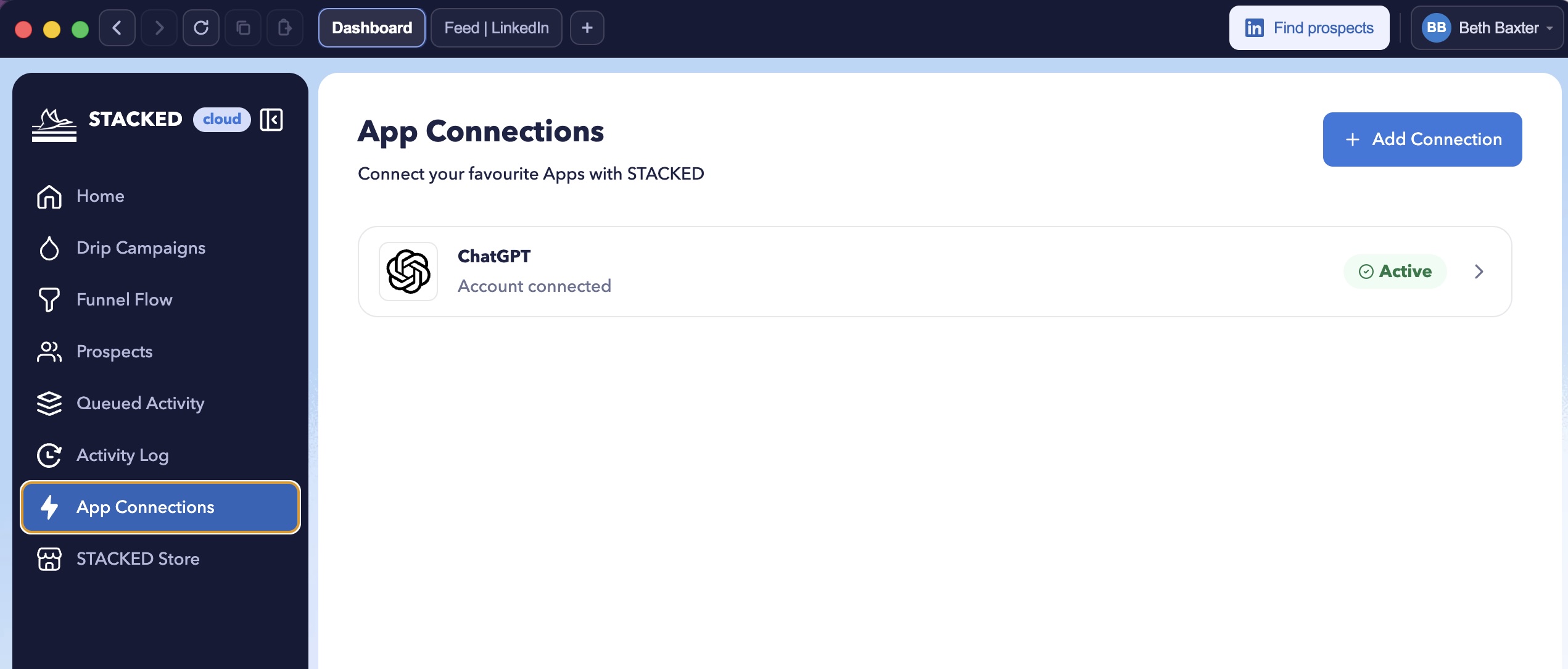
Now let's configure it. Slide the ‘Enable’ toggle to turn on your integration. Then, select whether you would like ChatGPT/Claude/Gemini to personalize your connection requests, direct messages, and InMails.
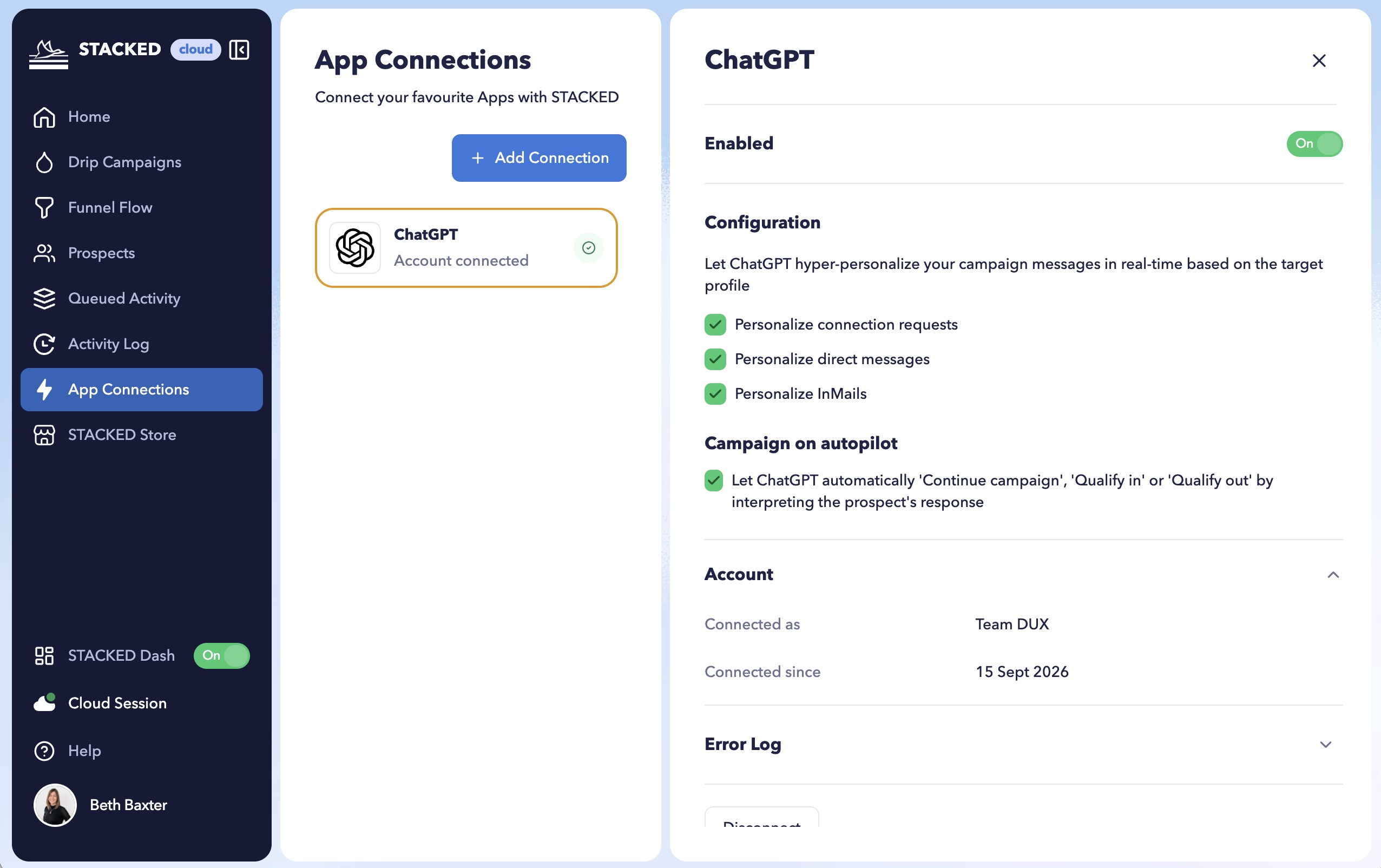
Finally, select whether you would like ChatGPT/Claude/Gemini to automatically manage and prioritize your campaign replies. Just check the boxes.
And that’s it. In under 5 minutes, you’ve set up your AI integration.
So how do you use it?
How to use STACKED AI
Using AI-powered campaigns is a breeze. Head to your drip campaigns in the STACKED dashboard.
Tick the AI-powered box when you create your campaign if you'd like to use the AI feature.
Add your campaign actions and messages. Just give STACKED a rough idea of what you want to say, and AI will turn it into a polished, personalized message for you.
Now you can enroll your contacts in your campaign. Sit back, and let STACKED and ChatGPT, Claude or Gemini work their magic.
Previewing your AI-written messages
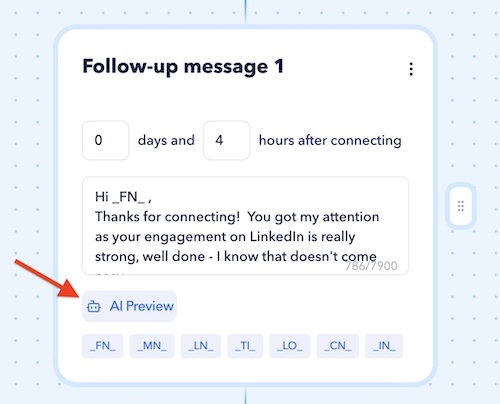
You can preview your AI-generated messages by clicking on the AI Preview button underneath your message. Select a contact from the pop-up list to preview the content for, and check you are happy with the generated message.
Viewing your sent AI messages
You'll be able to find your sent messages in your activity log, where you can view the AI-generated copy. Your STACKED placeholders will also have been updated with the LinkedIn data.
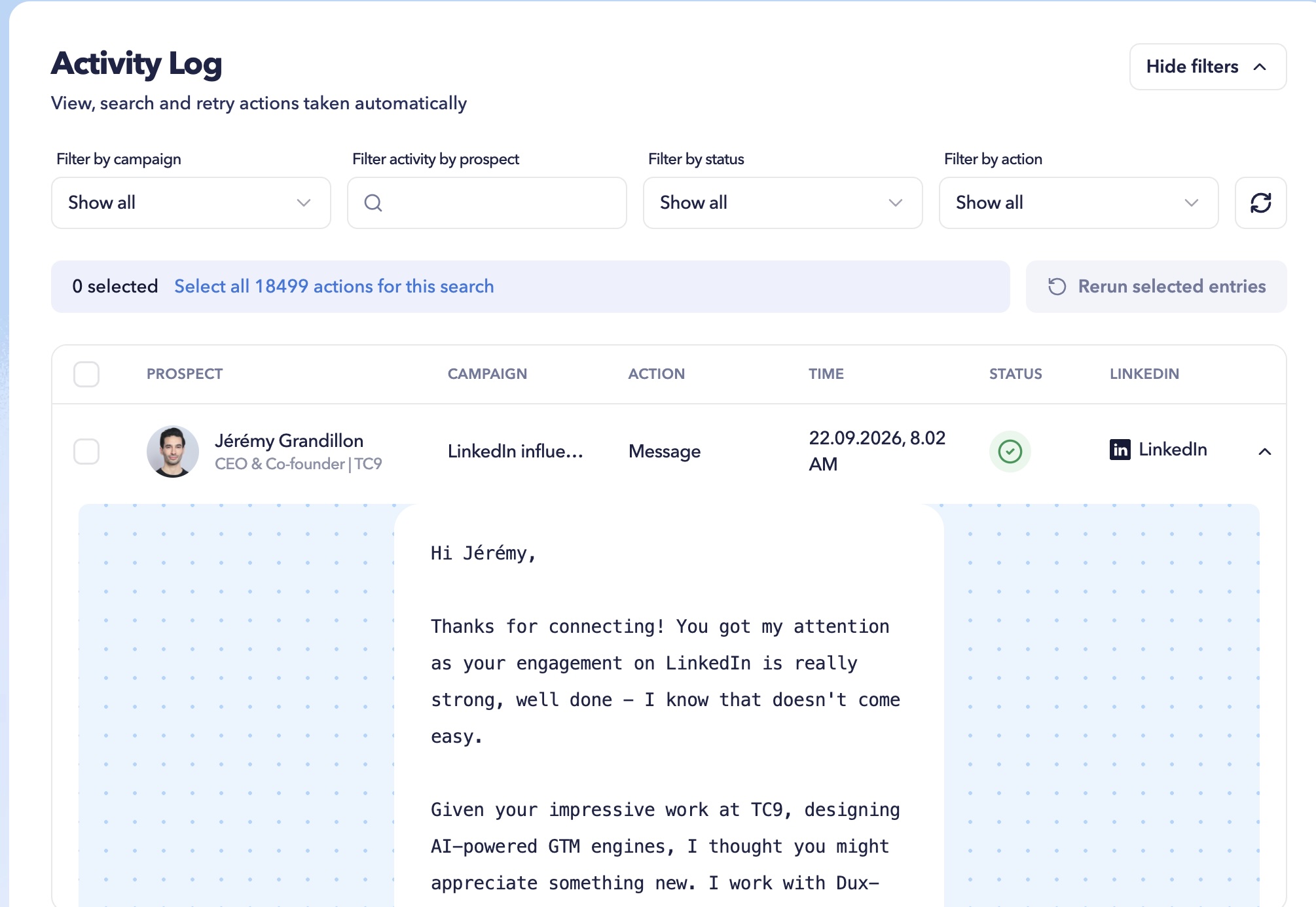
No two messages will look alike, giving your outreach an extra layer of safety with a more human-like approach. Most importantly, you'll notice a difference in the results: more campaign responses, thanks to the relevancy of your messages.
Finding your hot leads
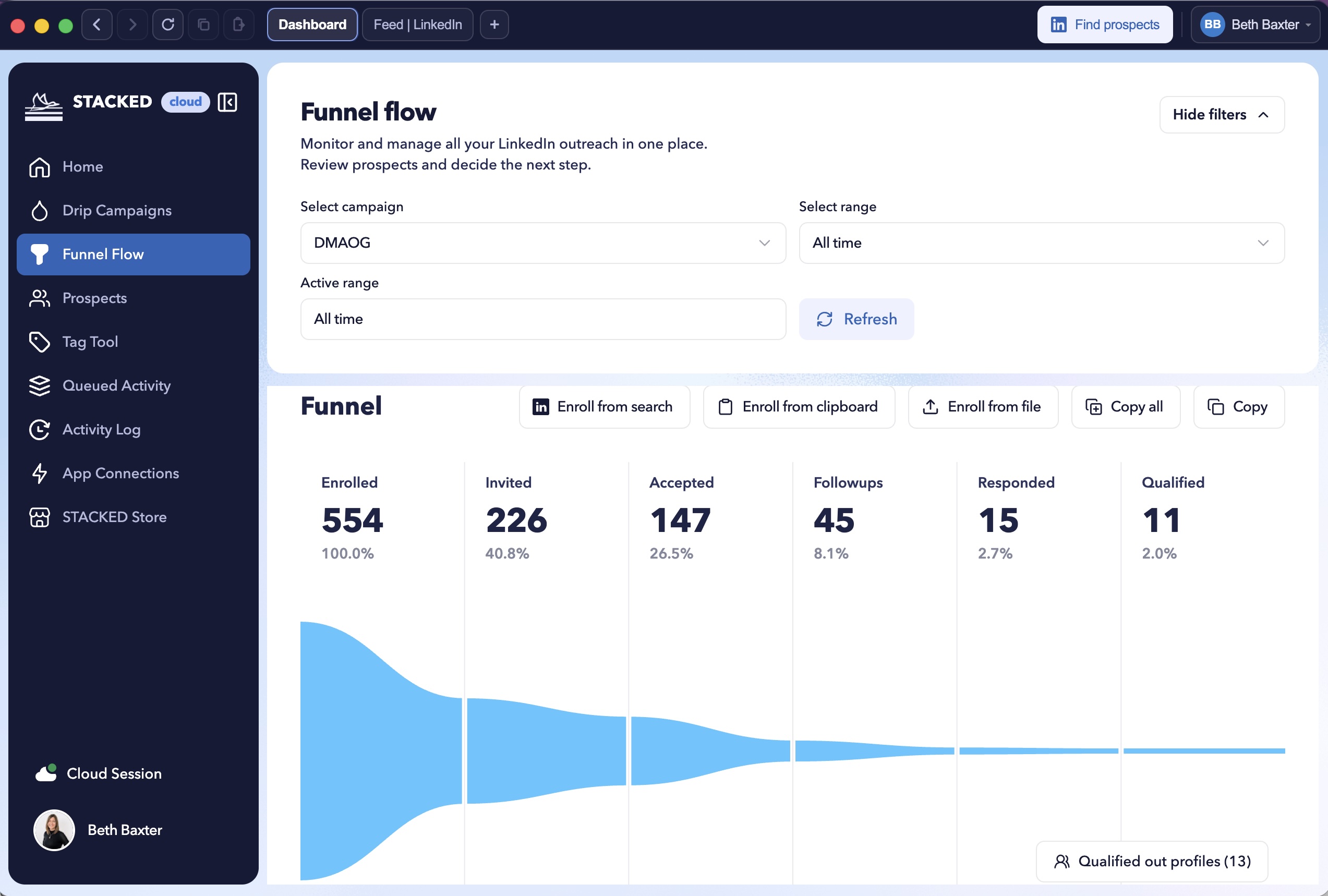
Which is where our triage feature comes in. If you want to find the hot leads that have already been qualified for you, click on the ‘Qualified ‘column in your Funnel Flow, where your list of hot leads is waiting for you so you can get to work converting them faster.
By pairing STACKED's automation with AI's language intelligence, you get something that is rarely possible at scale: outreach that is human, stays relevant, and actually gets responses.
Interested in seeing how we compare? Check out the Linked automation AI rankings.
Get immediate access with a STACKED license and let us know how it works for you.













.png)

