What are the best features of STACKED for individuals?

Choosing the right LinkedIn automation tool can feel tricky, but it really comes down to two key factors:
- How will you use it? Is it just for you, using on your own LinkedIn account? For a team, where each person uses it on their own account but needs to collaborate on campaigns and targeting? Or for an agency, where your agents are managing other people’s LinkedIn accounts?
- What do you want to automate? Maybe it’s as simple as sending connection messages, or as advanced as creating workflows that push data into your CRM and trigger sales team follow-ups when someone replies.
In this guide, we’ll focus on STACKED’s most-loved features for individuals, meaning you’re buying a license for you to use on your own LinkedIn account. It’s straightforward, powerful, and designed to make your outreach easier. Let’s dive in.
Campaigns
For effective lead generation, drip campaigns are a must. STACKED lets you design campaign templates with up to 12 steps, using six key actions: Visit, Follow, Connect, Message, InMail, Like a Post, and Endorse.
You can customize the timing between each step and personalize every message, making your outreach feel tailored and natural.
The beauty of STACKED’s drip campaigns is the time they save. Instead of manually sending connection requests and tracking every new contact to follow up with, STACKED automates the entire process.
And here’s the clever part: As soon as someone replies, they’re automatically removed from the campaign. You can pick up the conversation yourself from your STACKED Inbox or directly in LinkedIn, keeping every interaction personal and seamless.
Best Dux campaign features:
We checked against other tools on the market and found these campaigns features to be a particular strength of STACKED:
- Create and run unlimited campaigns concurrently
- Enroll unlimited contacts into your campaigns; it's endless with STACKED. Find more data? Sales Nav expand your search list? Keep adding them straight from LinkedIn to your campaign
- Tag your contacts with a campaign ID so you can easily revisit them with STACKED
- Auto-pauses campaign on response
- Next activity is queued up only after the previous activity completes, so changes can be incorporated into campaigns
- Clone campaigns and drag-and-drop individual actions to make campaign creation faster
- Set the outreach platform to LinkedIn, Sales Navigator, or Recruiter to send from your platform of choice
- Option to reject profiles already enrolled in other campaigns
- Add contacts straight from your CRM, via CSV, or paste them if you have a list of LinkedIn URLs ready
- Share campaigns with your colleagues
- Use AI to individually personalize every outbound message to every prospect, based on their profle information
Analytics
LinkedIn doesn’t really let you run “campaigns," and it doesn’t provide meaningful success metrics either.
Sure, you can save a lead list with Sales Navigator, but do you know how many you’ve invited to connect or converted into leads? Not without a lot of manual tracking, and a lot of time.
With STACKED, it’s effortless. Save a Sales Navigator list of 370 people, add them to a STACKED campaign, and you’ll instantly see detailed stats like these, and much more.

Here’s how you can put this data to work:
- Experiment with different connection messages to see which ones drive the highest acceptance rates.
- Test the same message across different lead lists to identify which audience responds best.
- Try out varied message content to discover what sparks the most engagement.
By fine-tuning every element of your campaign, you’ll maximize results and significantly boost the impact of your LinkedIn lead generation.
Best STACKED analytics features
- See at a glance how many new connections you’ve made, your response rate, and qualified leads generated. With our statistics, it’s easy to A/B test campaigns and find your winning formula
- Drill down into any stage of your Funnel and explore the list of contacts at each stage. From here, you can manage individual prospects: remove from the campaign, switch campaign, message, qualify in or qualify out
- Copy your list of prospects at any stage of the Funnel with a single click of our ‘Copy’ button. No waiting for downloads, just an instant copy and paste feature, allowing you to share leads with colleagues in a flash
Native (and really simple) integrations
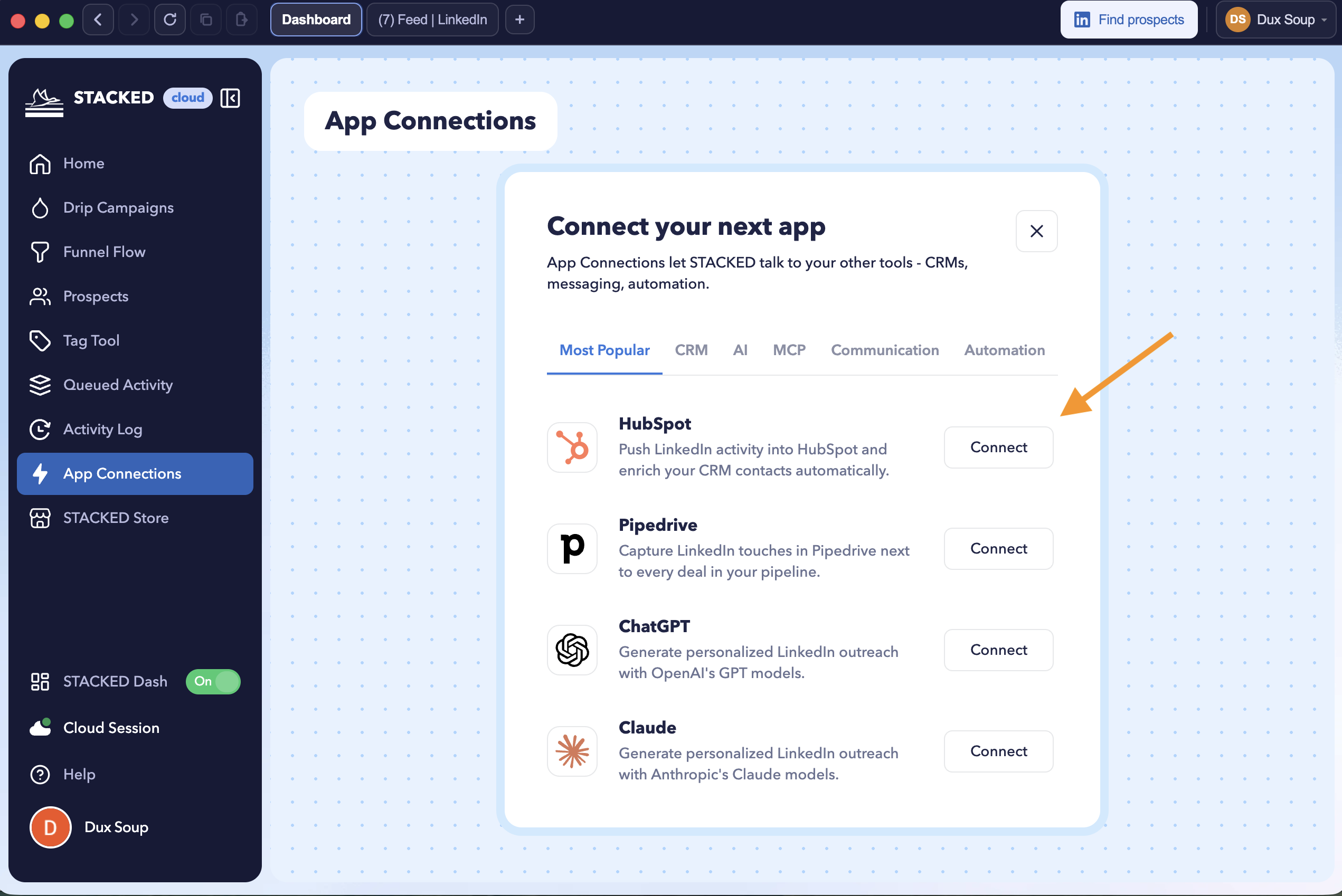
Tired of challenging and expensive Zapier or Make connections? Well, we’ve been building our portfolio of native integrations that can be installed in less than 2 minutes from STACKED’s dashboard. It’s super easy and a game-changer.
We currently have Slack, Salesforce, Pipedrive, Hubspot, and a lot more…check out our integrations page.
Best integration features:
- Send campaign responses directly to a Slack channel. View the conversation and reply from Slack
- Enrich your CRM data with contacts from LinkedIn when conditions are met e.g. profile visited, new connection made, prospect responds
- Enroll your CRM contacts into STACKED campaigns from within your CRM
Account Safety
We often hear concerns about account safety when using LinkedIn automation tools. So, how does STACKED stack up? From day one, we’ve been setting the standard for LinkedIn automation safety with a suite of built-in protections, including:
Human-like behavior simulation. STACKED mimics natural user activity by taking breaks and inserting pauses between automated actions, ensuring activity looks organic. (Most tools offer this now—but we’ve been doing it from the start.)
Pre-set daily limits. Since 2015, we’ve worked within LinkedIn’s boundaries. When you install STACKED, we automatically apply safe daily limits to keep your account under the radar. These limits have protected our users for years—and we fully stand behind them.
Speed throttling. STACED controls the pace of visits, invitations, and InMails by capping hourly activity. This measured approach keeps your account safe while still being productive.
Auto-snooze safeguard. Our unique fourth safety layer kicks in when you hit your daily limit—STACKED automatically snoozes to avoid breaching LinkedIn’s thresholds or triggering automation alerts. This exclusive feature makes Dux-Soup one of the safest tools on the market.
Daily Planner. Schedule the days and times of the week you'd like your activity to run. It allows you to take it easy, and have natural breaks when you want to run your manual LinkedIn activity.
Support
Our support team gets glowing reviews from customers. In fact, we have the highest Trustpilot score on the market - and for good reason. We’re dedicated to providing help that makes every user’s experience as smooth and positive as possible.
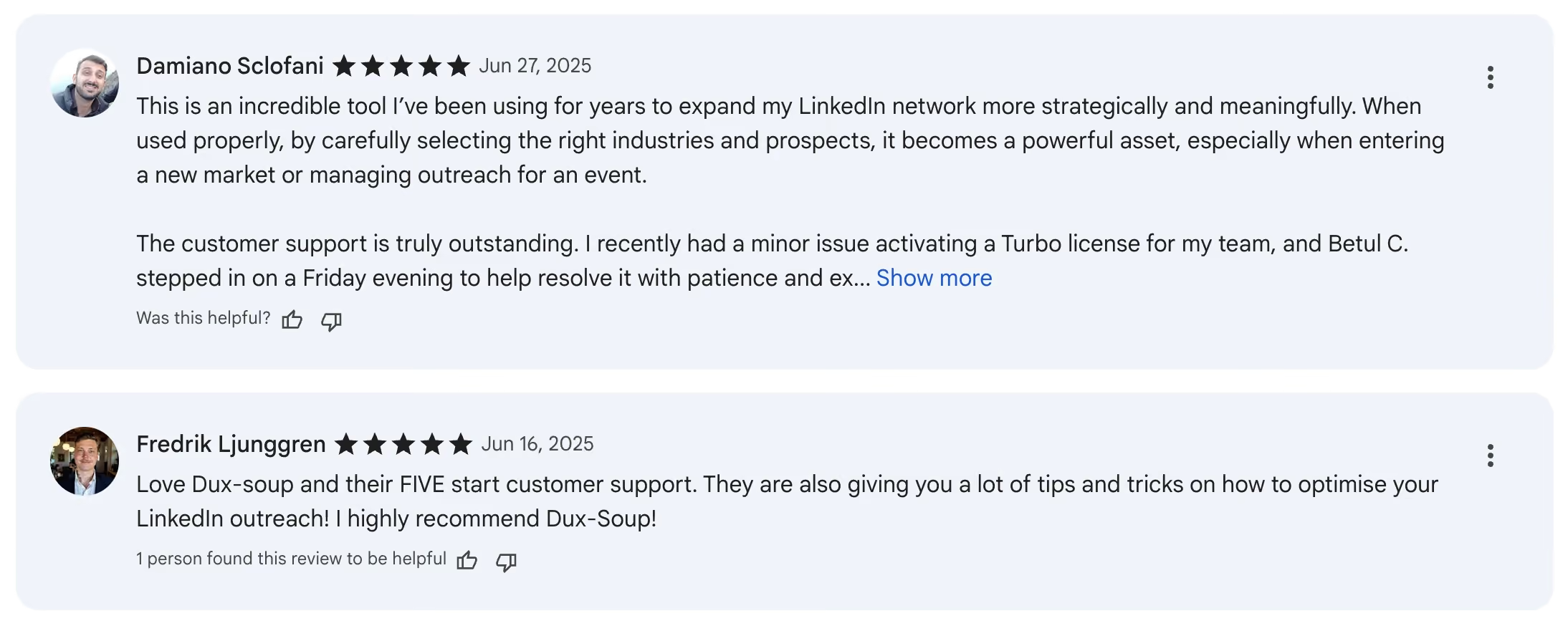
And with thousands of customers worldwide, we’re proud that their feedback is genuine, honest, and overwhelmingly positive. Check out what some of them have to say: https://uk.trustpilot.com/review/www.dux-soup.com
Summary
So there we have it. STACKED has so many popular features that help users to automate their individual workflow processes. And we're regularly adding new ones in response to demand. But the ones listed here are the most popular and widely loved. They're a great place to start when comparing LinkedIn automation tools.
But the best way? Give our free trial a go. It's the best way to test drive our awesome tool and see if it works for you.