How to get started with STACKED
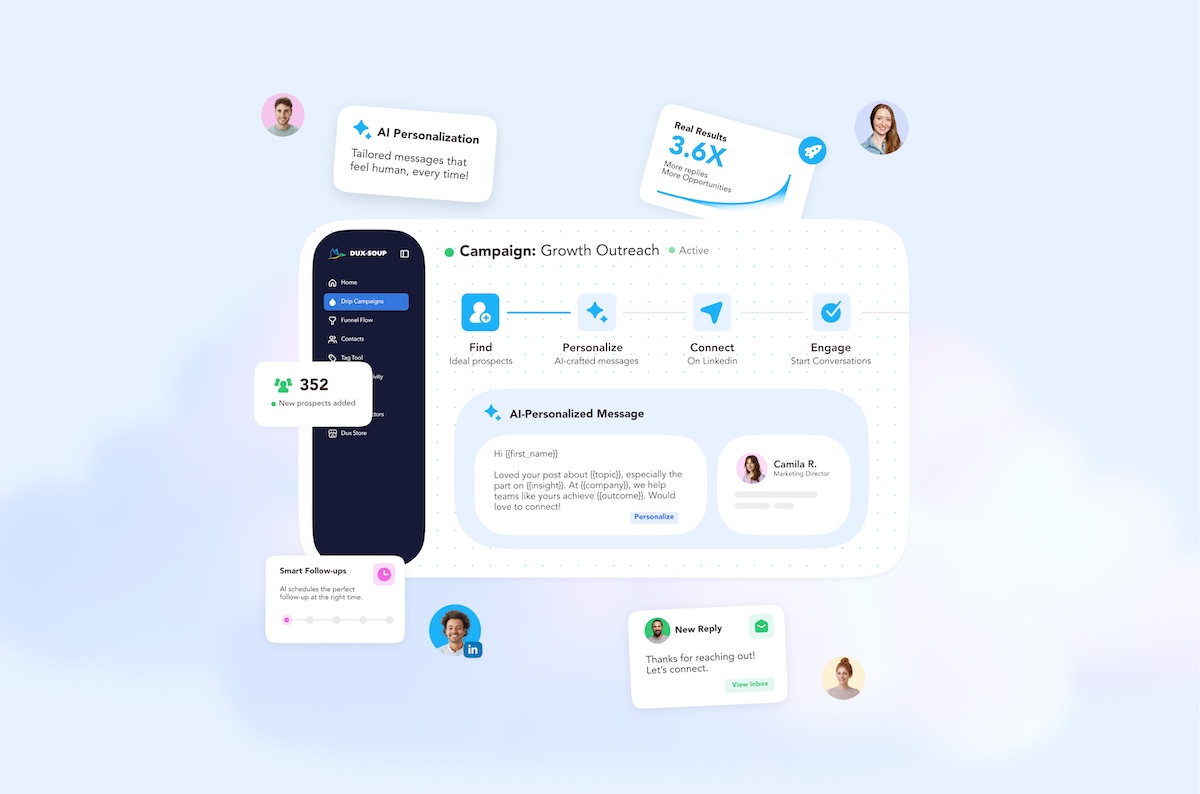
LinkedIn outreach is most effective when it is consistent, personalized, and carefully managed. STACKED, powered by Dux-Soup makes it easier to automate your LinkedIn activity while keeping your campaigns organized and your outreach relevant.
STACKED is the next-generation desktop experience powered by the existing Dux-Soup engine. It brings campaign creation, prospect management, AI, queued activity, reporting, and integrations into one streamlined application.
What is STACKED?
STACKED is a dedicated desktop application for Windows and Mac. Unlike the traditional browser-extension workflow, STACKED runs as a standalone app and does not require a Chrome extension for its main workflow.
STACKED includes:
- A visual campaign builder
- Prospect enrollment from LinkedIn searches, files, clipboard lists, or individual profiles
- Campaign scheduling and delays
- Personalization tools, including AI-powered individually personalized messages
- Queued activity management
- Campaign and activity reporting
- CRM and third-party integrations
- Support for LinkedIn, Sales Navigator, and Recruiter environments
- Multiple LinkedIn profile sessions in isolated environments
We offer a free two-week STACKED trial (no credit card details required) so you can simply have a go and see if it will work for you.
Existing Dux-Soup users can make a seamless transition to STACKED. Your current license provides access to STACKED. Existing campaigns, queued activity, previous activity, and account data are designed to transition without requiring you to recreate your campaigns or restart your Cloud sessions.
In this blog we explain how to get started with STACKED - from a first-time installation, all the way through to defining a campaign, adding prospects to a campaign, using AI to personalize your outreach messages to a prospect’s profile, and connecting LinkedIn with your CRM so your leads can flow straight into your CRM system.
1. Install STACKED
Begin by installing the STACKED desktop application for Windows or Mac. Head to dux-soup.com/get-stacked and select the right download to suit your operating system.
After downloading STACKED:
- Open STACKED.
- Sign in using your Google account.
- Connect the LinkedIn account you want to use.
- Select the appropriate LinkedIn environment, such as LinkedIn, Sales Navigator, or Recruiter.
- Confirm that your account is connected before creating your first campaign.
Watch: How to install STACKED
2. Create your first campaign
Both Local and Cloud versions of STACKED offer the ability to create drip campaigns.
Go to Drip Campaigns in your dashboard and click on the New Campaign button at the top.
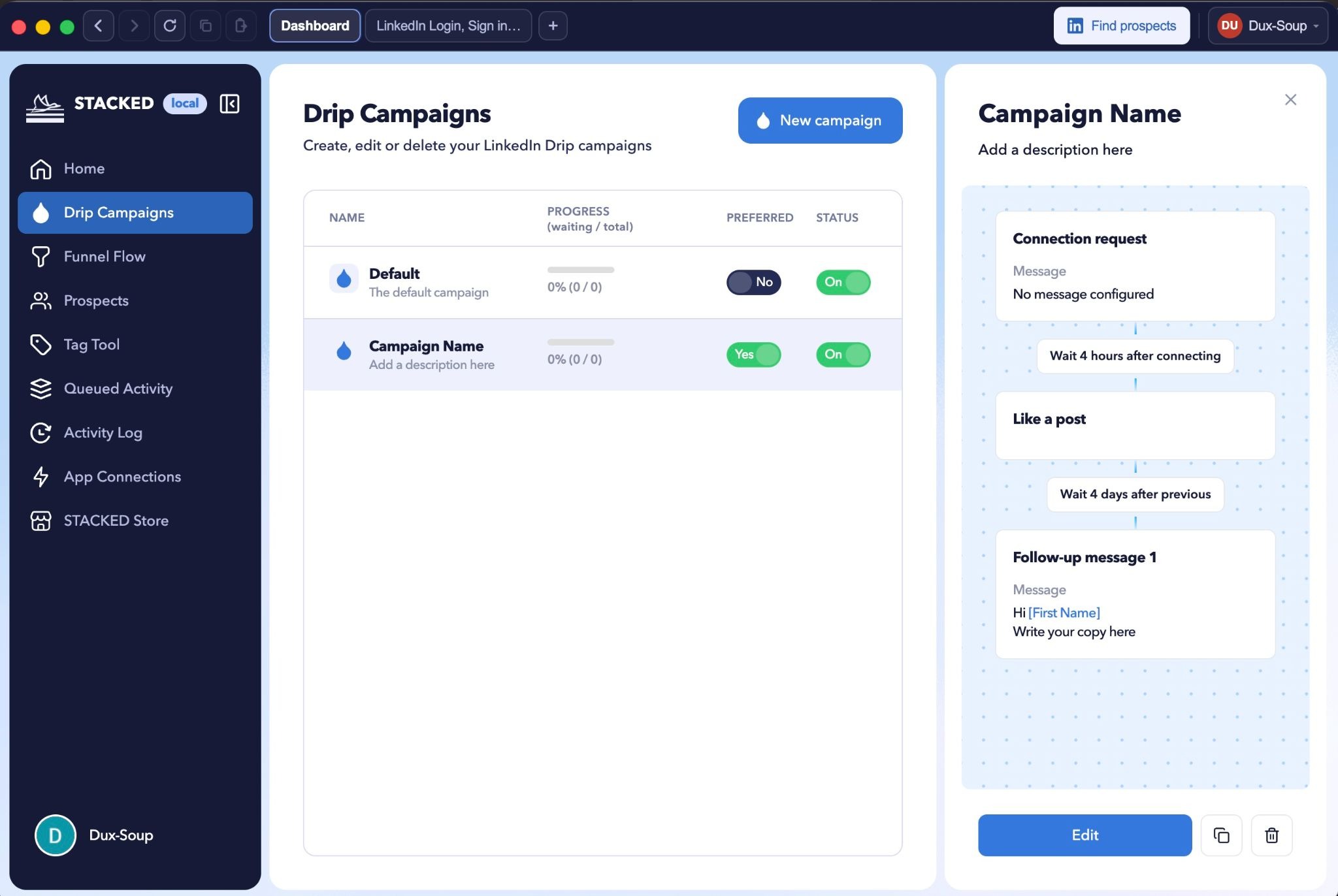
STACKED provides a visual campaign builder that allows you to create and adjust your workflow. You can:
- Add up to 12 actions to a single campaign by clicking the + button and selecting from the relevant campaign actions
- Configure delays between actions
- Add personalization using the merge tags underneath
- Rearrange campaign steps by hovering over an action and dragging it to the correct place in the sequence
- Remove steps by clicking on the three dots and selecting delete
- Review the complete workflow before enrolling prospects
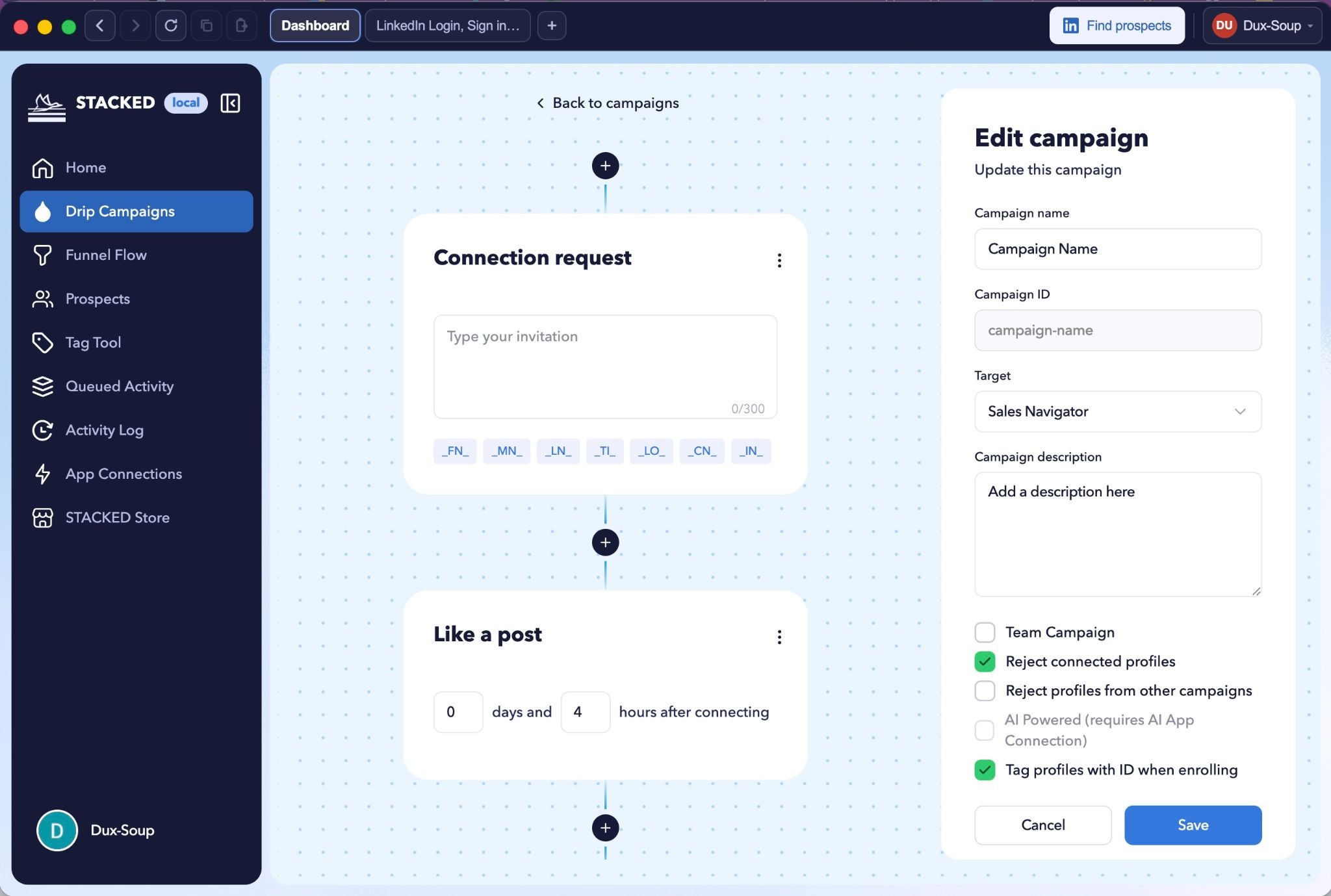
A single campaign can include actions such as:
- Visit a profile
- Follow a profile
- Like a post
- Send a connection request
- Send a personalized message
- Send an InMail (to 2nd+ degree connections)
- Endorse a profile
Use delays thoughtfully. A campaign should feel like a considered outreach process rather than a sequence of immediate automated actions.
Watch: How to create campaigns and enroll prospects.
3. Find and define your prospects
Use LinkedIn, Sales Navigator, or Recruiter to identify the people you want to contact. Or you can upload or import lists from file, or your CRM system.
When working with LinkedIn search results, you can select prospects in bulk to enroll the whole list, or manually select from your search results to be more specific about who you enroll, choosing each person individually.
Before launching your outreach, for the best results, make sure your search criteria match your campaign objective. Consider factors such as:
- Job title
- Industry
- Location
- Company size
- Seniority
- Relevant skills or interests
The more focused your prospect list is, the more relevant you can make your messaging, and the better the reply rates.
4. Enroll prospects into your campaigns
Once your campaign is ready, it’s time to enroll prospects into your campaign.
STACKED supports enrollment from:
- LinkedIn/Sales Nav/Recruiter search results
- Clipboard lists
- Uploaded CSV files
- Your CRM system - either with our native integrations with Hubspot, HighLevel, Salesforce, Pipedrive, Freshsales, and SharpSpring, or to any CRM via Zapier or Make.
STACKED offers two ways to enroll profiles from LinkedIn search: bulk enroll or manual enroll. Check out our tutorial at the 2m18 mark to see these in action.
5. Personalize your outreach
Personalization helps your messages feel more relevant and improves the quality of your LinkedIn conversations.
STACKED offers two levels of personalization:
Merge tags
Use STACKED’s clickable personalization markers when creating messages. Depending on the available data, you may be able to personalize messages using details such as:
- First name
- Company
- Job title
- Other prospect information available to the campaign
AI personalization
STACKED connects easily to yourexisting AI tool (Claude, ChatGPT and Gemini are supported), allowing every message to be individually tailored to a prospect's LinkedIn profile. By sending personal and relevant messages, you'll get more responses to your outreach.
Tip: Avoid relying entirely on generic templates. Use personalization to support a clear reason for contacting the prospect, and make sure the message is appropriate for the person’s role and context.
A strong message is:
- Brief
- Relevant
- Easy to understand
- Focused on the recipient
- Free of unnecessary sales language
6. Monitor your campaigns
STACKED provides several areas for monitoring activity and campaign performance.
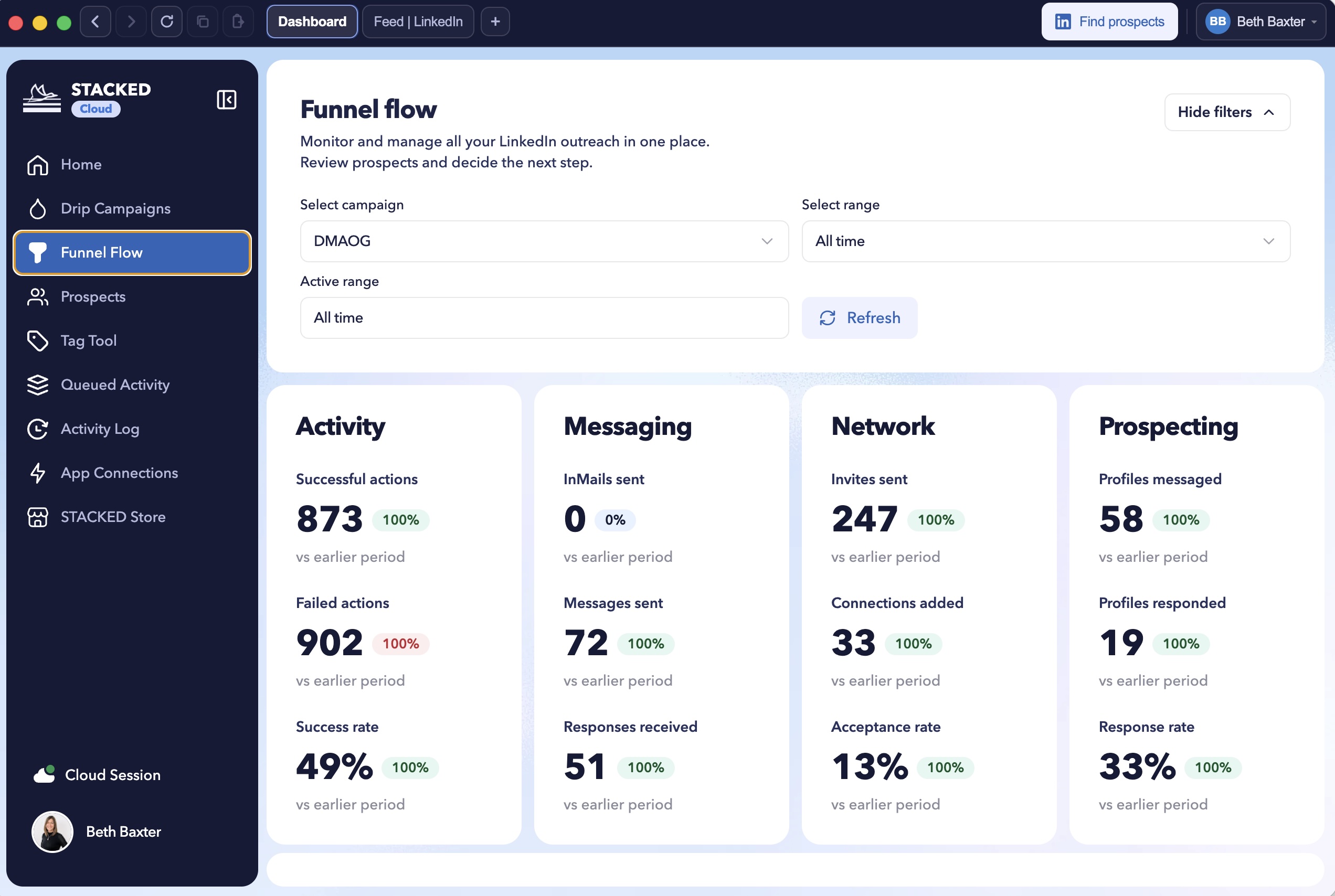
Funnel Flow
Use Funnel Flow to understand how prospects move through your campaign and identify where people are progressing or dropping off.
Prospects
The Prospects area provides a central place to review and manage the people associated with your campaigns.
Queued Activity
Use Queued Activity to review upcoming actions. You can manage queued actions in bulk, including removing activity that you no longer want to run.
Activity Log
The Activity Log provides a record of completed and attempted activity. It can help you review campaign execution and investigate failed actions.
STACKED also provides dashboard information such as key performance indicators and recent messages, helping you monitor activity without having to review every prospect individually.
If an action fails, you can use the bulk tools to rerun failed actions where appropriate.
7. Connect your tools
STACKED supports connections to a range of business and productivity applications.
Available integrations include tools such as:
- HubSpot
- Pipedrive
- Salesforce
- GoHighLevel
- Slack
- Microsoft Teams
- Zapier
- Make
- ChatGPT
- Claude
- Other supported CRM and automation platforms
These connections can help you coordinate LinkedIn activity with your wider sales, marketing, and customer relationship workflows.
The existing API and integration approach remains part of the Dux-Soup ecosystem, so you can continue connecting your LinkedIn automation activity with the systems your team already uses.
Manage settings and account preferences
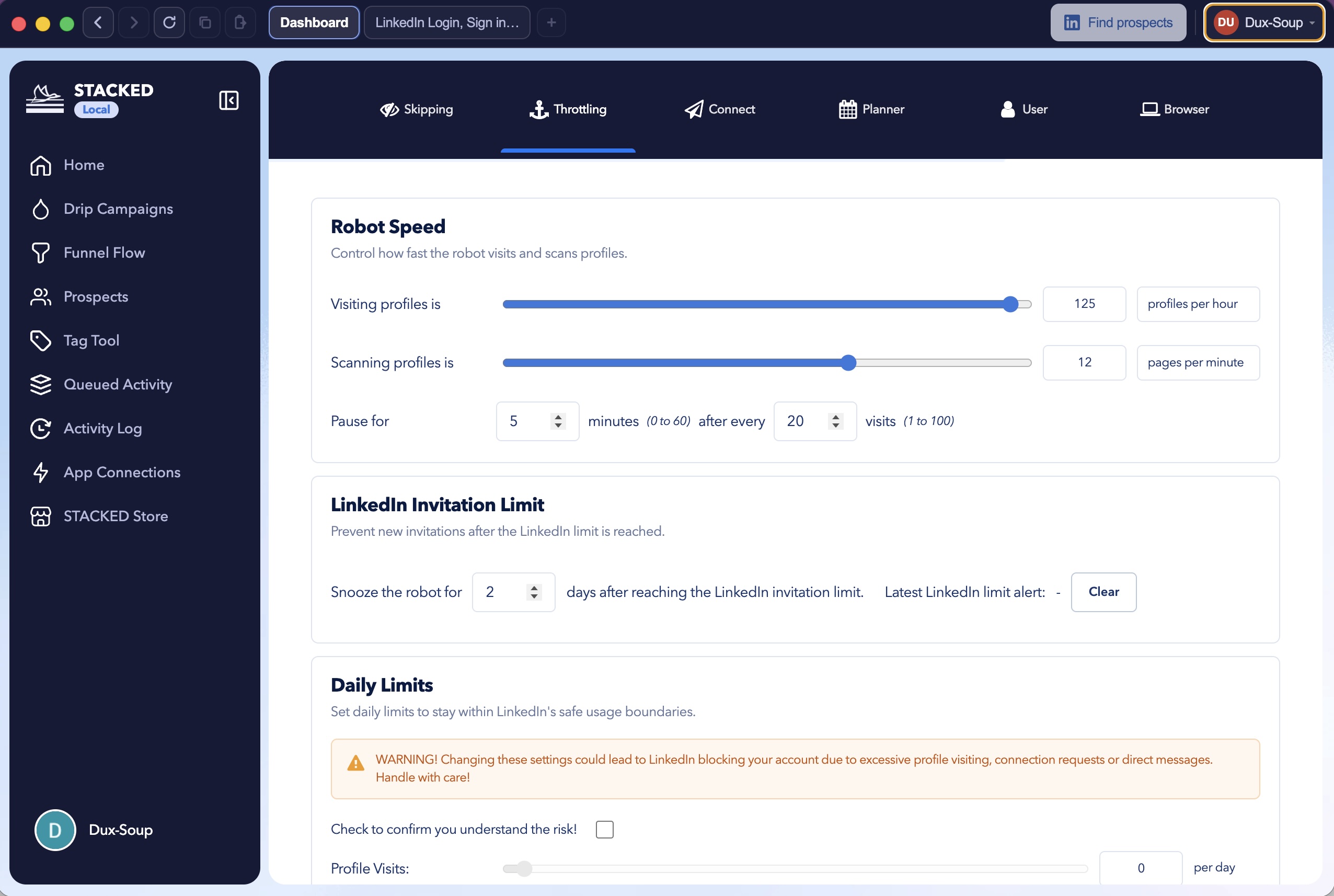
You can access STACKED settings from the profile or account menu in the bottom-left corner of the application.
Depending on your account and configuration, settings may include:
- Skipping rules
- Planner and scheduling options
- User information
- Expert mode
- Throttling and robot speed
- Connects and authentication settings
Review these options before launching larger campaigns so that your activity follows your preferred schedule and operating rules.
Manage multiple LinkedIn profiles
STACKED supports multiple LinkedIn profiles running in parallel through isolated environments.
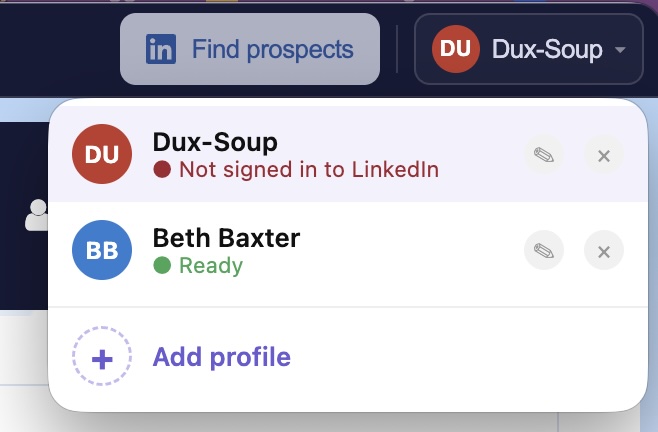
This can be useful for agencies, teams, or users managing more than one LinkedIn account. You can switch between sessions and manage each account separately while keeping the environments isolated.
Make sure each LinkedIn account is used in accordance with LinkedIn’s policies and your organization’s outreach guidelines.
Start using STACKED today
STACKED by Dux-Soup brings the established Dux-Soup automation engine into a more flexible desktop experience. With visual campaign building, bulk prospect management, activity monitoring, personalization, and integrations, you can create a more organized LinkedIn outreach process.
Start by installing STACKED, connecting your LinkedIn account, creating a focused prospect list, and building a simple campaign. Once you are comfortable with the workflow, you can expand into more advanced campaigns, multiple profiles, and connected CRM processes.














.png)

