STACKED MCP: Use AI to Control Your LinkedIn Automation
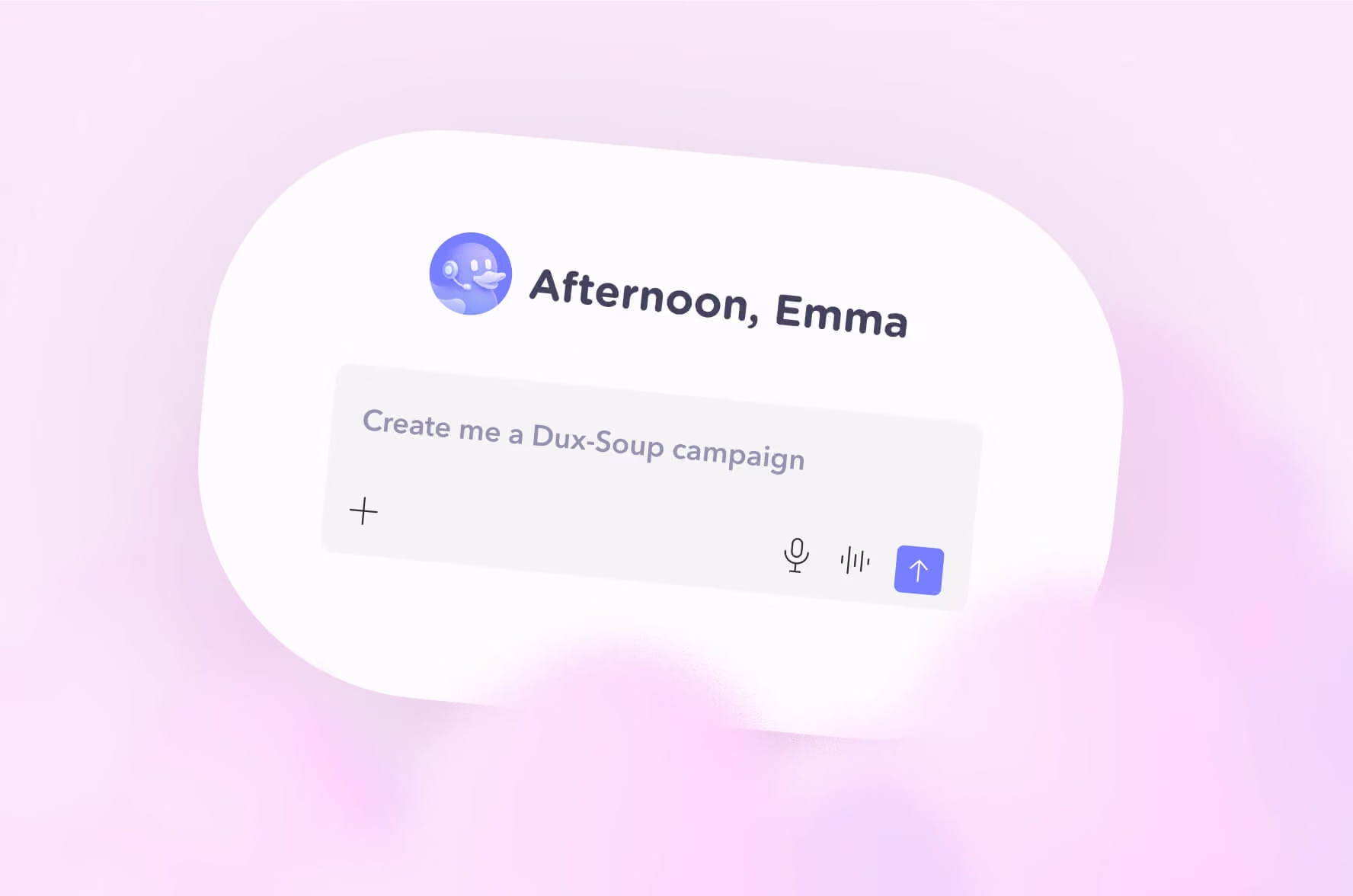
If you use LinkedIn for lead generation, you already know how much time can disappear into campaign management, prospect research, response handling, and performance reporting.
Now imagine being able to ask your AI assistant what is happening across your LinkedIn automation, find the prospects who need your attention, analyze campaign performance, draft replies, and even build new campaigns, all using natural language.
That is what the STACKED MCP server makes possible. We launched it in July 2026 with a live webinar, which you can watch here - or follow along with the highlights in this blog.
MCP, or Model Context Protocol, provides a standard way for AI platforms to connect with external tools and data. With the STACKED MCP connection, you can connect your STACKED account to any AI platform e.g. Claude or ChatGPT and interact with your LinkedIn automation using conversational commands.
Instead of navigating through your dashboard to find the information you need, you can simply ask.
What is STACKED MCP?
STACKED, powered by Dux-Soup, is a LinkedIn automation tool designed to help sales and marketing teams automate LinkedIn outreach, engage with prospects at scale, and build repeatable lead generation processes.
The STACKED MCP server adds an AI-powered layer on top of that automation.
Once connected, your AI assistant can interact with data from your STACKED account and, depending on the permissions you give it, perform actions on your behalf.
That means you can use natural language to:
- Review LinkedIn campaign performance
- Analyze KPIs and response rates
- Find prospects who have responded
- Identify prospects that need follow-up
- Review messaging history
- Draft personalized replies
- Compare campaigns and analyze A/B tests
- Create and edit campaigns
- Manage campaign activity
- Work with team and agency account data
- Schedule recurring reports and tasks
- Connect STACKED with other tools through your AI platform
The important part is that you do not need to learn a new command language.
You can simply ask your AI assistant what you want to know or what you want it to do.
Why connect AI to your LinkedIn automation?
Traditional automation helps you execute repetitive actions.
AI can help you decide what to do next.
Combining the two gives you a much more powerful workflow.
For example, instead of manually checking several campaigns every morning, you could ask:
"Give me a performance summary across all my STACKED campaigns for the last three months and visualize the data."
Your AI assistant can then pull the relevant campaign data and summarize metrics such as:
- Connection invitations
- Connections
- Messages sent
- Responses
- Reply rates
- Campaign performance
You can then continue the conversation.
- Which campaign is performing best?
- Which campaign has the highest response rate?
- Which prospects have replied recently?
- Who needs a response?
- What should I prioritize today?
This turns your LinkedIn automation data into something you can actually use to make decisions.
How to connect STACKED MCP to your AI
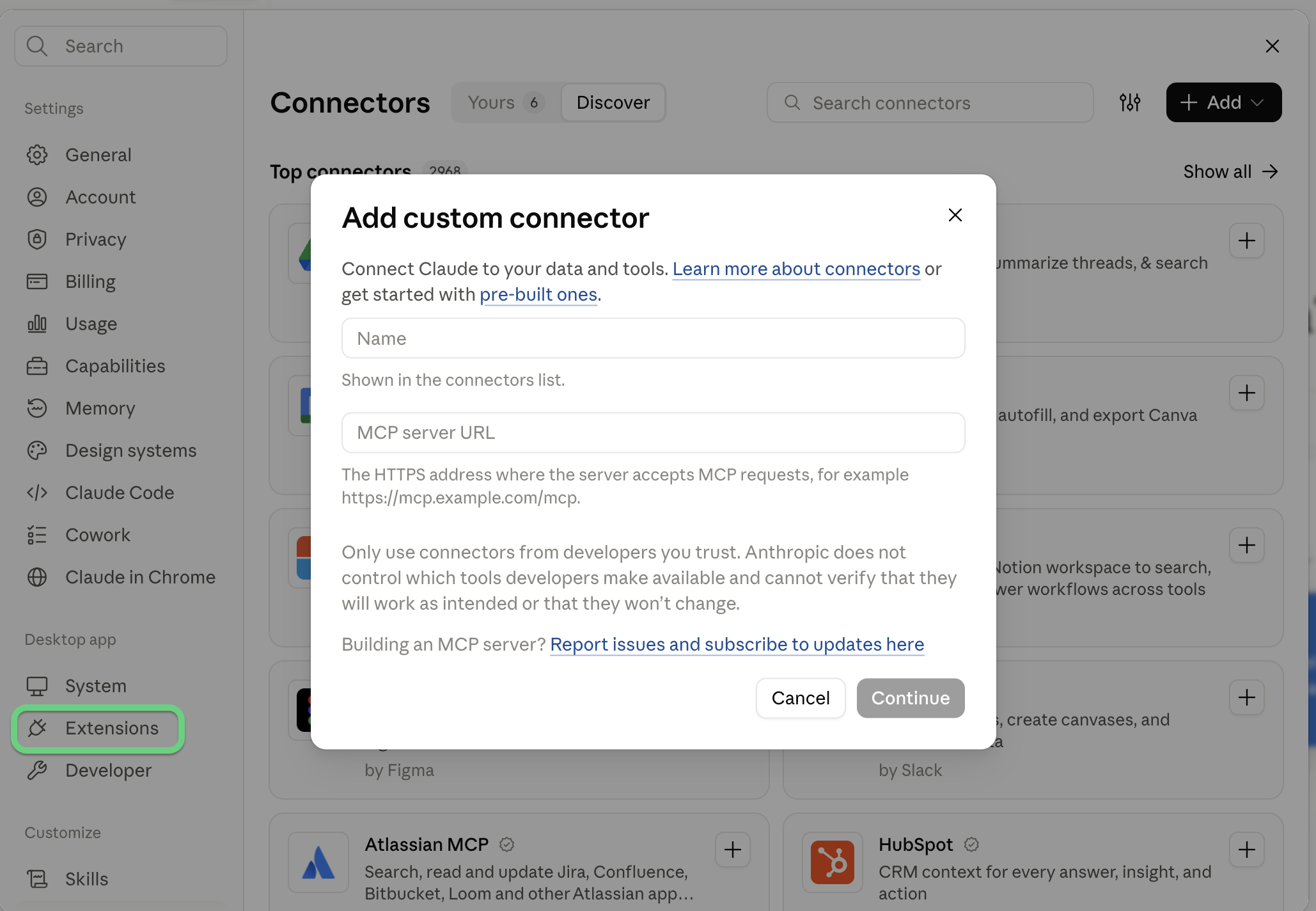
Getting started with STACKED MCP is straightforward; you can do this with a STACKED local or cloud license. And you can connect it to any AI platform (think Claude, ChatGPT, Gemini, Grok). Here we show you how to do it with Claude:
- Open Claude and go to 'Settings'
- From the menu, select 'Connectors'
- Press 'Add' in the top right-hand corner and select 'Add Custom Connector'
- In the Name field, add: STACKED (or whatever you'd like to call it to recognize it by)
- In the Remote MCP Server URL field, add: https://app.dux-soup.com/mcp
- You will be prompted to log in to your Google account
- Select your permissions according to your requirements
Let's dive into some of the ways this can help you.
1. Analyze your LinkedIn automation performance
One of the simplest STACKED MCP use cases is campaign reporting.
Instead of opening your STACKED account and manually working through campaign data, ask your AI assistant for a summary.
For example: "Show me my STACKED campaign performance for the last three months."
You can then ask it to visualize the results or drill down into individual campaigns.
This makes it easier to spot trends and identify campaigns that are generating connections and conversations.
You can also compare multiple campaigns side by side.
For example: "Compare my Recruiter 3, Recruiter 6 and Recruiter 7 campaigns. Show me the acceptance rate, response rate and overall performance."
AI can bring the campaign KPIs together and highlight differences between them.
In the webinar demonstration, this type of analysis identified one campaign as the volume leader while another smaller campaign was generating stronger acceptance and response rates.
That is the kind of insight that can help you decide whether to scale a campaign, adjust the messaging, or rethink the target audience.
AI does not replace your judgment here. It gives you a faster way to interpret the data and decide what to do next.
2. See which LinkedIn prospects need your attention
Campaign performance is only part of the picture. The real value of LinkedIn outreach comes from what happens when prospects respond.
With STACKED MCP, you can ask your AI assistant to find recent responses across your campaigns.
For example: "Show me all prospects who responded to my STACKED campaigns in the last seven days."
For a team account, you can extend that request across the whole team.
AI can then organize the responses and identify prospects who may need immediate attention.
You can take this a step further: "Show me the prospects that require follow-up."
AI can review the available conversation context and organize prospects by priority.
This can help you separate:
- Prospects that need an immediate reply
- Lower-priority conversations
- Conversations where no action is currently required
That means fewer missed opportunities and less time spent sorting through LinkedIn responses manually.
3. Draft LinkedIn replies in your own voice
Once you know which prospects need a response, the next challenge is deciding what to say.
STACKED MCP can help here too.
You can ask your AI assistant to retrieve the messaging history with a specific prospect and draft a response based on the conversation.
For example: "Pull my messaging history with this prospect and draft a reply in my voice that moves the conversation toward booking a call."
AI can review the previous messages and use that context when creating the draft.
You can also provide additional instructions, such as including your calendar link or focusing on a particular objection.
The important point is that the AI-generated response can be treated as a starting point rather than something you have to send blindly.
Review it. Change it if needed.
Then, depending on your permissions and setup, you can ask STACKED to queue the approved response.
This gives you a useful balance between automation and control.
4. Find your best-performing LinkedIn campaigns
A/B testing is another area where an AI connection can save time.
If you have several LinkedIn campaigns targeting similar audiences, you can ask your AI assistant to compare them.
For example: "Compare these three campaigns and tell me which is performing best."
Instead of manually collecting the figures, you can get a side-by-side view of metrics such as:
- Invitations sent
- Connection acceptance rate
- Responses
- Response rate
- Campaign status
- Overall campaign volume
You can then ask a follow-up question: "Why is Campaign 7 outperforming Campaign 6?"
AI can use the available campaign data to suggest possible explanations, such as differences in messaging or audience quality.
Again, these are recommendations, not rules.
The useful part is that you can move from raw LinkedIn automation data to a discussion about what the data might mean.
5. Create recurring LinkedIn automation reports
One of the more powerful use cases is scheduled AI tasks.
Instead of asking for your campaign metrics manually every day, you can create a recurring task that does it for you.
For example: "Every morning, give me a report on my team's STACKED metrics for the last 24 hours. Show campaign performance, replies, prospects requiring follow-up, failed actions and anything that needs my attention."
Your AI platform can then run that task on the schedule you choose.
The result is effectively a daily LinkedIn automation briefing.
You can use it to monitor:
- Campaign performance
- Team activity
- Failed actions
- Invitation limits
- Prospects who have responded
- Prospects requiring follow-up
- Campaigns that may need attention
This is particularly useful for sales teams and agencies managing multiple LinkedIn accounts.
Instead of discovering a problem because a campaign has stopped producing results, you can build a workflow that brings potential issues to your attention automatically.
6. Connect STACKED to your wider sales stack
The STACKED MCP server becomes even more interesting when you connect your AI platform to other tools.
MCP connections can allow your AI assistant to work with multiple sources of information.
In the webinar demonstration, STACKED was connected alongside tools including Apollo, Calendly, Gmail, Google Calendar, Google Drive and Slack.
That opens up workflows that go beyond LinkedIn automation alone.
For example, imagine this workflow:
- Use Apollo to find a specific group of prospects.
- Enrich the prospects with contact information.
- Create a LinkedIn outreach campaign in STACKED.
- Create an email sequence.
- Review the campaigns before launching them.
- Launch the approved campaigns.
All of that can be coordinated through a conversational AI interface.
You could even combine LinkedIn activity with calendar data.
For example: "Which prospects from my STACKED outreach have booked a meeting with me?"
Or: "Find the people who booked a meeting through my calendar and add them to the appropriate LinkedIn workflow."
The exact workflow will depend on the tools you have connected, but the principle is simple.
Instead of moving information manually between different sales and marketing platforms, you can use AI as the interface between them.
7. Use natural language to manage campaigns
The STACKED MCP server is not limited to reporting.
Depending on the tools and permissions you enable, you can also use AI to manage your campaigns.
That can include actions such as:
- Creating campaigns
- Editing campaigns
- Turning campaigns on or off
- Managing prospects
- Enrolling prospects
- Reviewing campaign activity
- Updating user settings
- Managing throttles for team accounts
You can also use it to work with prospect lists.
For example, you could provide a CSV containing LinkedIn profile URLs, names, companies and job titles, then ask the AI to identify the prospects that fit your criteria.
AI can help filter the list before you build your LinkedIn outreach campaign.
This is particularly useful when you already have a source of leads but want to apply an additional layer of qualification before starting outreach.
What STACKED MCP cannot do
There are some important limitations.
The STACKED MCP connection does not give the AI direct access to LinkedIn search.
So you cannot simply ask: "Go into LinkedIn and build me a Sales Navigator search."
Instead, you can create your LinkedIn or Sales Navigator search yourself, export the results, and then provide that data to your AI workflow.
From there, the AI can help identify relevant prospects based on the information available in the file and help you build a campaign.
This distinction matters.
STACKED MCP is designed to give your AI assistant access to STACKED and its available data and actions. It is not a replacement for LinkedIn's own search functionality.
Keep control over what AI can do
Connecting AI to your LinkedIn automation does not mean giving it unlimited control.
When configuring the MCP connection, you can manage permissions for the tools it can use.
Read-only access can be used for analyzing data and reporting.
More powerful permissions can allow the AI to write, edit or delete information.
For actions that could have a real impact on your LinkedIn outreach, you can choose to require approval before they are carried out.
That gives you control over how much automation you want.
You might start with simple reporting.
Then move into prospect analysis.
Then introduce AI-generated response drafts.
Once you are comfortable with the workflow, you can decide whether to allow more automated actions.
The future of AI-powered LinkedIn automation
The biggest change MCP brings to LinkedIn automation is not simply another way to access your campaign data.
It changes the way you interact with your automation.
Instead of thinking: "Which screen do I need to open?"
You can think: "What do I need to know?"
Or: "What do I want to happen?"
That could be a campaign report.
A list of prospects that need attention.
A comparison between two LinkedIn campaigns.
A draft response.
A recurring sales briefing.
Or a complete workflow that combines LinkedIn outreach with your wider sales stack.
The more tools you connect, the more useful this conversational approach becomes.
And this is only the beginning.
Getting started with STACKED MCP
If you are already using STACKED and an AI platform that supports MCP, connecting the two is the first step.
Once connected, start simple.
Ask questions about your existing LinkedIn automation data.
For example: "Show me my campaign performance for the last 30 days."
Then try: "Which prospects responded this week?"
Then: "Which of these prospects need a follow-up?"
From there, you can start building more advanced workflows around campaign analysis, response management, scheduled reporting and multi-tool automation.
The goal is not to replace your sales process.
It is to make the repetitive parts easier, surface the information that matters, and give you more time to focus on the conversations that actually generate business.
Ready to put AI to work with your LinkedIn automation?
Try STACKED and explore what you can build with AI-powered LinkedIn outreach and the STACKED MCP connection.
Further reading: The LinkedIn automation AI rankings.














.png)